

An AI chatbot saves a coach the time spent handling repeat questions it resolves, minus the time spent reviewing answers, handling follow-ups, and maintaining its sources. Measure net hours saved per week, not messages answered. Setup work belongs in a separate total so a busy installation week does not distort the ongoing result.
- How much time does an AI chatbot save a coach per week? Count avoided work, then subtract review and upkeep.
- HelpShelf suits coaches who need source-cited answers from their own content; unpublished decisions still need human judgment.
- Compare equivalent weeks and track unresolved questions across chat, email, and direct messages.
- Keep setup time separate from recurring work, and count corrections against your savings.
Why this matters
Someone asks about your coaching program at 11pm. The answer is already in your course outline, but you still have to find it, explain it, and send the right link. That is the kind of repeat work a source-grounded chatbot can handle; deciding whether someone needs a different coaching approach is not.
HelpShelf provides a coaching chat widget that answers pre-sale and support questions from your own content, cites sources, and captures leads. Its useful boundary is also its limitation: published information supports an answer, while an unpublished exception needs your decision.
For your 2026 evaluation, separate faster replies from less work. A visitor receiving an immediate answer is useful, but it does not establish that you spent fewer hours supporting your business.
How much time does an AI chatbot save a coach per week?
Weekly time saved equals the manual work avoided, less the new work required to operate the chatbot. Your own support records supply the answer; a message counter does not.
Use this calculation for a defined group of repeat questions:
Net weekly time saved = baseline handling time for comparable questions − remaining human handling time − chatbot review time − source maintenance time.
Measure active work, not elapsed waiting time. If a conversation sits unanswered overnight, those overnight hours are not coaching time saved. Count the minutes you actually spend reading, locating information, replying, correcting, and following up.
Establish a baseline
Record support work for 7 consecutive days before the pilot. Include direct messages, email, website inquiries, and community questions so moving a conversation between channels does not look like removing it.
For each question, record its topic, active handling time, and outcome. Mark whether the answer already existed in your published content. Keep personal coaching advice separate from requests for schedules, access instructions, or published program details.
Run a comparable pilot
Track the same categories for another 7 consecutive days with the chatbot in use. This gives you a 14-day measurement window, not a promised time-saving result.
Compare equivalent business conditions. A launch week and a quiet enrollment week are different workloads. If the mix changes, compare matching question categories rather than subtracting the total hours and crediting every difference to automation.
Subtract the work that remains
Count escalations, answer checks, corrections, and source updates. A chat that ends without a human reply is not automatically a resolved question; check whether the person later asked the same thing elsewhere.
Keep the weekly result in minutes until the calculation is finished. Convert the final total to hours only when reporting it. This keeps small review tasks visible instead of rounding them away.
What should count as time saved?
A chatbot earns time savings when it replaces work you otherwise needed to do. It does not earn savings merely because someone opened the widget, read an answer, or left the page.
Use these outcome labels consistently:
- Resolved: The question received a supported answer without further human work on that issue.
- Handed off: You still needed to respond. Count the remaining handling time.
- Corrected: You repaired an answer or clarified a misleading response. Count that work against savings.
- Unconfirmed: The conversation ended without enough evidence to establish resolution. Keep it separate.
A handoff can still reduce work if the conversation gives you useful context. Measure the actual follow-up rather than treating every handoff as either a complete failure or a complete success.
For a 2026 baseline, preserve the original question alongside its outcome. Otherwise, a short logistical question and a long personal coaching exchange can disappear into the same average, making the result difficult to interpret.
Which questions belong with a chatbot, FAQ, or coach?
Choose the response method by the decision required, not by the channel where the question arrives. A question posted in chat can still need your judgment. A question sent directly to you can still have a straightforward published answer.
| Response method | Best for | Useful strength | Limitation |
|---|---|---|---|
| Source-grounded chatbot | Repeated questions answered in your content | Responds conversationally and can point to supporting material | Needs usable sources, review, and a clear refusal boundary |
| FAQ page | Stable questions with short, consistent answers | Gives visitors a place to check published information | Visitors must find and interpret the relevant entry |
| Human response | Personal coaching, exceptions, and disputed facts | Applies judgment and asks context-specific questions | Requires your active time and attention |
A chatbot and an FAQ are not mutually exclusive. The same published explanation can support both, provided you keep the underlying information consistent.
Keep account actions separate from explanations. Quoting a published billing policy does not establish that a chatbot can inspect an account, change a subscription, or issue a refund. Evaluate those capabilities separately rather than assuming an answer also completes the task.
Why weekly chatbot time savings vary
Your savings depend on the work entering the system and the work returning to you. These factors belong in the evaluation:
- Repeat-question volume: More repeated, source-answerable questions create more manual work that can be replaced. Unique coaching conversations belong in a different category.
- Manual handling effort: Finding a buried course reference takes different effort from pasting a familiar answer. Measure your actual workflow.
- Source coverage: A question without a published answer needs a refusal or human response, not a plausible completion.
- Source changes: Changes to your program, schedule, or policies create maintenance work that belongs in the weekly total.
- Review and correction: Checking answers and repairing mistakes consumes time even when the conversation initially looks complete.
- Handoff quality: A useful summary can reduce repeated explanation; a handoff without context leaves that work with you.
Do not turn these factors into an assumed savings percentage. Track them as reasons behind the result. That makes the next action specific: improve a missing explanation, narrow the chatbot's scope, or keep a judgment-heavy category with you.
How do you test a coaching chatbot in 2026?
Use a repeatable sequence rather than asking whether a demo sounds convincing. Start with questions your audience actually sends, including awkward questions that expose the limits of your published material.
- Record questions. Collect the wording and active handling time from your baseline. Include follow-ups rather than only the first message.
- Check sources. Identify the published material that supports each answer. Flag anything that requires private context or an unpublished decision.
- Test answers. Check the answer and its citation together. A relevant-looking citation is not enough if the source does not support the statement.
- Review handoffs. Confirm what information reaches the person responding and whether the visitor understands that more help is needed.
- Calculate savings. Subtract remaining handling, review, correction, and maintenance work from the comparable baseline.
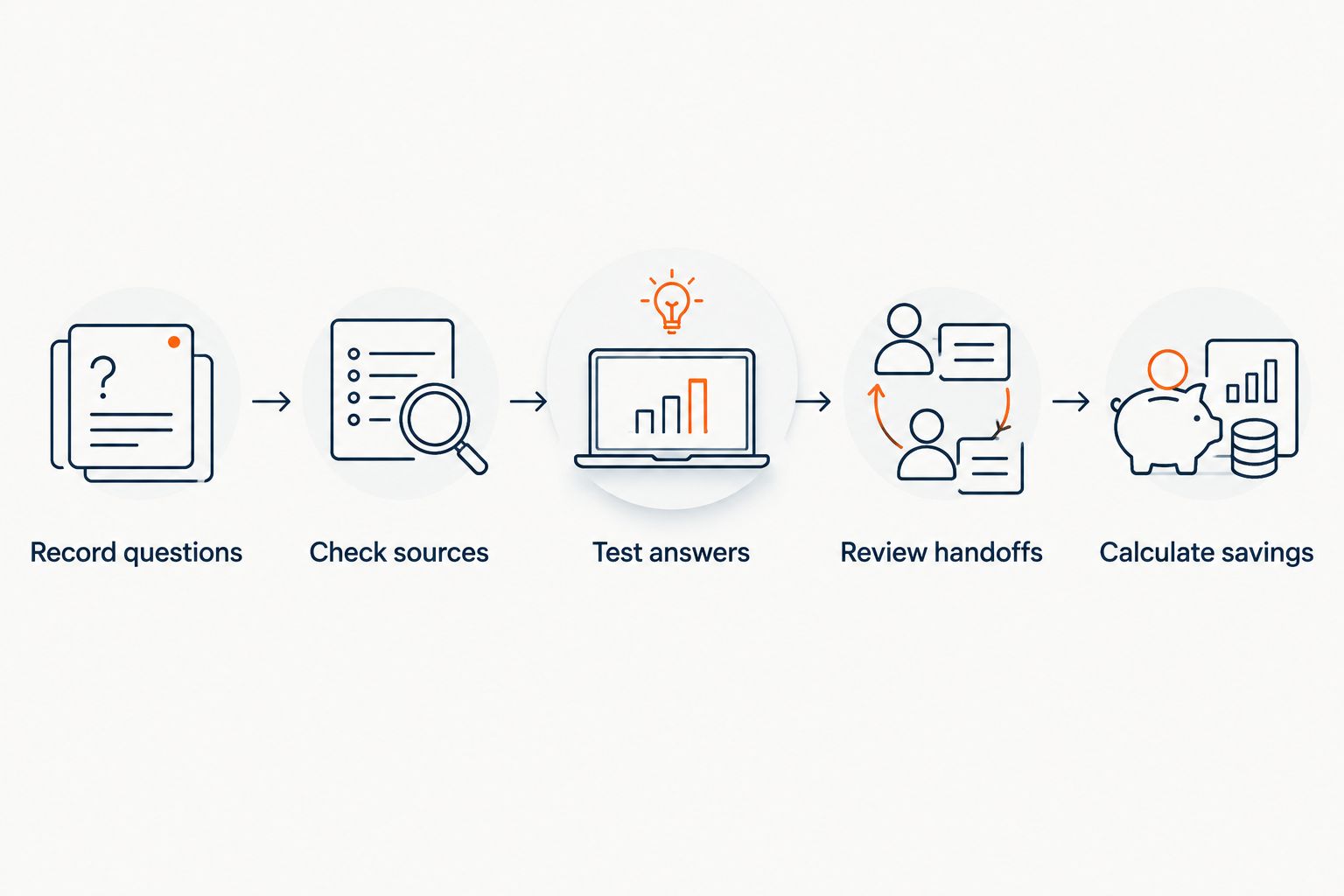
Repeat the same questions after a source change. Keep the expected boundary in the test record: what the answer should include, what it must not claim, and when a human needs to decide.
HelpShelf is best for coaches who want source-cited answers to repeat pre-sale and support questions. That fit does not remove the need to check sources or handle decisions your content does not answer.
What should the chatbot refuse to answer?
A useful refusal prevents the chatbot from turning missing information into a commitment. Test for invented discounts, refund exceptions, and income promises even if those questions are uncommon in your normal support queue.
A visitor asking for an unpublished exception should receive a boundary such as: “I can only quote what's published.” The next step is a human decision, not a more persuasive version of the same unsupported answer.
Use these as test scenarios, not claims about your existing program:
- Someone asks whether a discount applies when no published source establishes it.
- A member requests a refund exception rather than an explanation of the published policy.
- A prospect asks for a guaranteed income outcome.
- A client wants personalized advice that depends on circumstances absent from the source material.
A refusal is not a saved conversation by itself. If you still need to respond, include that time. Its value is keeping the answer within the information you have actually approved.
How do you separate setup work from weekly upkeep?
Track setup as a one-time investment and maintenance as recurring work. Source selection, initial testing, and installation belong in the setup record; ongoing answer review and source changes belong in weekly operations.
For your 2026 record, retain both totals. Reporting only the ongoing savings hides the effort required to get there, while charging all setup work against every later week makes the recurring result meaningless.
Do not assign a universal setup allowance. Your starting material determines what needs attention. A clear, current explanation requires different preparation from conflicting documents or instructions that exist only in your head.
Does an after-hours answer count as time saved?
An after-hours answer counts as time saved only when it replaces work you would otherwise perform. Faster response time and reduced handling time are separate measures.
If a prospect gets an answer overnight but you still repeat the whole explanation the next morning, count that follow-up. If the question is resolved from published material and never needs your attention, record the avoided handling work for that question category.
Can a chatbot save time without replacing coaching?
A chatbot can save time by handling repeat information requests while leaving personal coaching with you. The boundary is the difference between explaining your published material and deciding how someone should apply it to their circumstances.
Keep that distinction visible in your support records. Combining both types of work makes a chatbot look responsible for conversations it should never have been assigned.
FAQ
How much time does an AI chatbot save a coach per week?
Weekly time saved is the manual handling work avoided minus remaining human responses, answer review, corrections, and source maintenance. Measure comparable questions in your own workflow rather than applying a generic hours-saved claim.
What's the best way to measure chatbot time savings?
Track active handling time before and during a comparable pilot. Include email, direct messages, and community follow-ups so a question moving channels does not count as a resolution.
Does a chatbot conversation count as a resolved support question?
A chatbot conversation counts as resolved only when the question receives a supported answer without further human work on that issue. Keep abandoned or unconfirmed conversations separate.
Can HelpShelf answer questions from my coaching content?
HelpShelf's coaching chat widget answers pre-sale and support questions using your own content with cited sources. Unpublished exceptions and personal coaching decisions still need a human response.
Should I count chatbot setup time in weekly savings?
Keep one-time setup time separate from recurring weekly savings. Include ongoing review, corrections, and source maintenance in the weekly calculation.
Is a chatbot better than an FAQ page for a coach?
A chatbot fits conversational questions across published material, while an FAQ fits stable questions with concise answers. Neither replaces human judgment when the answer requires private context or an exception.
One last thing
Before expanding your 2026 pilot, inspect the question that caused the most follow-up work. Fix the published explanation first, then test the chatbot again. Automating an unclear answer leaves you with the same problem in a different channel.


