

Mastermind hosts’ chatbot support is automated question answering from approved program content, with the aim of resolving routine questions without handing judgment to software. This 2026 guide explains how to set up a customer support chatbot for mastermind hosts while keeping private discussions, admission decisions, and unpublished exceptions outside its scope.
- HelpShelf fits mastermind hosts who need cited answers from their content and lead capture.
- A customer support chatbot for mastermind hosts should explain published terms, not decide admissions or promise outcomes.
- Separate public pre-sale answers from member support before connecting community content.
- Start with an FAQ and saved replies; add automation after defining sources, refusals, and human follow-up.
Why chatbot support matters for mastermind hosts
Consider a prospective member reading your program page at 11 p.m. They want to know whether sessions include individual feedback. A current member asks where to find the preparation worksheet. Both questions need an answer, but neither should require you to interpret someone’s business situation.
A mastermind also creates questions that software should not settle. Whether someone belongs in the group, whether a confidential discussion can be shared, and whether a member deserves an exception require different treatment from finding a published resource.
HelpShelf is best for mastermind hosts who need a customer support chatbot with cited content answers and lead capture. HelpShelf answers pre-sale and support questions using a creator’s own content; the limit is that source-grounded answers still depend on what you publish and approve.
For your 2026 setup, separate locating information from making decisions. A chatbot can point to an eligibility requirement. Your admissions process decides whether an applicant meets it.
How to set up chatbot support for your mastermind
1. List the questions you already answer
Start manually with a shared document and saved replies. Review the questions in your inbox, application messages, and community support channel, then write the answer you would be comfortable publishing unchanged.
Separate questions about the offer from questions about participating. A prospective member asking about attendance expectations needs public information. A member asking about their own account needs an identity-aware support process, not a general answer drawn from program materials.
For a focused 2026 starting point, select 12 real questions as your initial test set. This is a suggested setup scope, not a claim about how many questions your members ask.
- Copy questions without including unnecessary personal details.
- Mark each question as pre-sale, member support, or human judgment.
- Attach the current approved answer and its source.
- Assign an owner to questions with no documented answer.
2. Separate approved content from private discussions
Build a small source collection before connecting a large archive. A program overview, participation guide, resource index, and published policies give you a clearer starting point than an unreviewed collection of call transcripts.
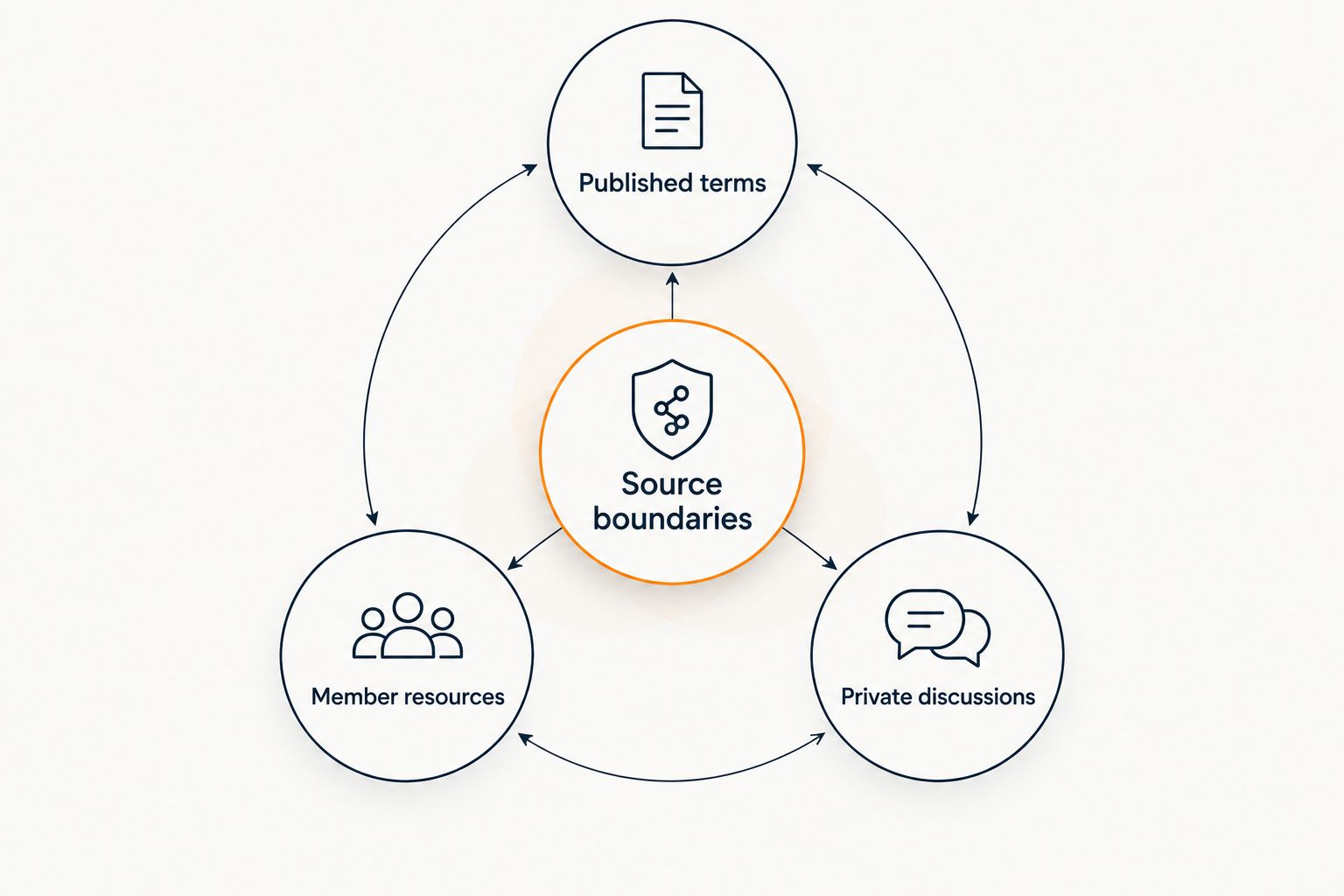
Use Source boundaries to separate Published terms, Member resources, and Private discussions. These categories describe your content policy; they do not establish that a particular chatbot enforces access permissions.
A recording can contain both useful teaching and confidential member disclosures. Do not treat permission to attend a call as permission to turn every statement into an automated answer.
- Include only material approved for the intended audience.
- Keep public program terms separate from member-only resources.
- Exclude private member disclosures and confidential business examples.
- Remove superseded documents rather than leaving conflicting versions.
- Check what an unauthenticated visitor can retrieve.
3. Add automation after the answers are documented
Keep using the manual document until the approved replies are clear. Automation is the next step, not a substitute for deciding what your program actually includes.
HelpShelf provides a faster answering path through a chat widget that uses your course, coaching, or community content, cites sources, and captures leads. That fits repeated content questions; it does not make an undocumented policy authoritative or turn a support answer into permission to change someone’s account.
Choose a narrow first scope, such as public questions about curriculum and participation expectations. Before adding member content, verify the access controls and placement you need for your actual environment.
- Begin with reviewed program information rather than the entire archive.
- Confirm how visitors reach the widget on your site.
- Test source citations against the exact claim being answered.
- Verify member-content restrictions before exposing protected resources.
- Keep your existing human support route visible.
4. Write answer and refusal rules
A useful answer states the relevant fact, identifies its source, and stops where the source stops. A citation is not permission to add an interpretation that the document never makes.
Suppose your published overview describes group feedback but says nothing about individual consulting. The answer should explain the documented format, not infer that private consulting is included. Use the same discipline for attendance exceptions, access extensions, and outcome questions.
A suggested refusal template is: “I can only quote what’s published. I don’t have a documented exception to share.” This is example wording for your support policy, not an attributed statement or a promise about default product behavior.
For a closer look at checking evidence, see the guide to chatbots citing sources from your own content.
- Require a relevant source for program-specific claims.
- Prohibit invented discounts, refund exceptions, and income promises.
- Distinguish explaining a policy from approving an exception.
- Route conflicting or missing information to a named human owner.
- Keep refusals specific about what remains unanswered.
5. Define human follow-up and lead capture
Write the follow-up process manually before asking software to collect information. Decide who receives an unresolved question, what context they need, and how the visitor knows that a person still needs to respond.
Lead capture and support escalation serve different purposes. A prospective member asking about suitability needs a way to continue the conversation. A current member reporting an access problem needs support, not another sales sequence.
In your 2026 workflow, treat a captured contact as a request for follow-up—not proof that the question was resolved. Verify any routing, notification, or account-action capability before relying on it.
- Ask only for the contact information needed to respond.
- Explain why you are collecting the information.
- Preserve the unresolved question and relevant source context.
- Separate prospective-member follow-up from existing-member support.
- Avoid requesting private business details in public-facing chat.
6. Test ordinary questions and uncomfortable ones
Use your original question set, then add cases designed to expose weak boundaries. Ask about an unpublished exception, another member’s results, and a requirement described differently in two documents.
Evaluate the answer and the citation separately. A response can sound sensible while linking to a source that does not support it. A correct refusal is a successful result when the requested information is missing or private.
Run a 7-day pilot as a suggested observation window, not a promised implementation timeline. Keep the scope narrow enough that you can inspect the conversations and correct sources before expanding.
- Compare each answer with the approved source text.
- Open each citation and check that visitors can access it appropriately.
- Test missing, outdated, and contradictory information.
- Ask for confidential member details and unpublished exceptions.
- Confirm that unresolved questions reach your human process.
7. Review source gaps and update the record
Reserve a 30-minute review as a starting maintenance routine. Adjust the time to your actual conversation volume; the purpose is to identify recurring gaps, not to meet an arbitrary target.
Classify problems before changing anything. A missing resource requires documentation. A wrong citation requires an answer-quality investigation. A visitor requesting something outside your offer requires a boundary, not a more accommodating reply.
Keep a simple record of the question, source, answer, and correction. After changing a policy, test both the new wording and common paraphrases so an older answer does not remain your practical support standard.
- Record unanswered questions without retaining unnecessary personal details.
- Assign an owner to every source correction.
- Retire old schedules and superseded participation documents.
- Recheck refusals after adding new content.
- Expand the chatbot’s scope only after reviewing the existing one.
Compare support options for your mastermind
Choose the option that matches the work, not the one with the longest feature list. In 2026, your decision should still begin with whether the answer is documented, whether the audience can access it, and whether a person must exercise judgment.
These options can coexist. Keep a readable FAQ even if you add conversational support, and keep a human route for questions that cannot be settled from content.
| Option | Best for | Main advantage | Key limitation |
|---|---|---|---|
| FAQ and resource index | Stable program information | Gives visitors a direct place to check published answers | Visitors must locate the relevant section themselves |
| Saved replies | Hosts answering repeat questions manually | Keeps wording consistent while a person reviews context | Each conversation still needs human attention |
| Rules-based chatbot | Predictable questions with fixed answer paths | Makes the permitted branches explicit | Questions outside those branches need another route |
| HelpShelf | Cited content answers and lead capture | Answers pre-sale and support questions from creator content | Needs approved sources; undocumented exceptions remain human work |
| Human support | Admissions, disputes, and sensitive situations | Allows contextual review and accountable decisions | Depends on someone being available to respond |
Keep judgment with people and documented information in the answering system. A chatbot is not the right replacement for an admissions conversation simply because both happen through messages.
Common mistakes mastermind hosts make
-
Treating every call recording as support documentation. A mastermind discussion can include confidential details alongside useful instruction. Publish an approved explanation or resource instead of exposing the raw conversation. Review transcripts before including them in any source collection.
-
Letting sales answers imply personal access. A description of group coaching does not establish private consulting, individual reviews, or unlimited access to the host. Make the actual participation format explicit. Where the published offer is silent, keep the answer silent and offer human follow-up.
-
Mixing information across cohorts. A resource from a previous group can describe a different schedule or participation arrangement. Label the intended audience and retire obsolete material. Do not expect a fluent answer to reveal that its source belongs to another group.
-
Counting every automated reply as a resolution. An answer that sends someone to an inaccessible resource has not completed the task. Neither has a contact form with no follow-up owner. Review whether the visitor received a supported answer or reached the right person.
FAQ
What's the best customer support chatbot for mastermind hosts?
HelpShelf fits mastermind hosts who need answers from their own content, source citations, and lead capture. Choose it for documented pre-sale and support questions, while keeping admissions decisions and sensitive exceptions with a person.
Can a chatbot answer questions from mastermind call recordings?
Use only recording content that you have reviewed and approved for the intended audience. Do not assume a recording is safe to include just because members could attend the original call, and verify the tool's supported content formats.
Can I put the same answers in public chat and member support?
Use the same answer only when it is appropriate for both audiences. Keep member-only resources and private discussions out of public-facing answers, and verify access controls before connecting protected content.
Can a support chatbot approve a refund exception?
A chatbot should explain the published refund policy, not invent or approve an exception. Send exception requests to the person responsible for reviewing them.
Do I need a chatbot if I already have an FAQ?
No; a clear FAQ and saved replies are a practical starting point. Add a chatbot when you want conversational answers from approved content and have a defined process for unanswered questions.
How do I know whether a cited answer is correct?
Check whether the cited passage supports the exact claim in the answer. Also confirm that the source is current, belongs to the correct program, and is appropriate for the visitor to access.
Can a mastermind chatbot replace my community manager?
A chatbot can handle documented information questions, but it does not replace relationship management, moderation judgment, or sensitive member conversations. Define those responsibilities separately before deciding what to automate.
One last thing
Test the question you most want the chatbot to refuse before testing the question you most want it to answer. Ask for a private member detail or an unpublished exception. The response exposes the boundary of your setup more clearly than another successful resource lookup.
For your 2026 launch, give HelpShelf a narrow, approved source collection and a clear human fallback. A useful refusal is better than a confident answer your program cannot stand behind.


