

HelpShelf is the best fit for creators who want source-cited answers and lead capture; Intercom suits support-team workflows, Zendesk suits ticket-led operations, and Chatbase suits a focused content chatbot. This 2026 guide compares those use cases for an AI chat widget for Circle communities, with Circle placement and member-access checks treated as requirements—not assumed integrations.
- HelpShelf is the creator-focused AI chat widget for Circle communities shortlist: cited answers, course content, and lead capture.
- Chatbase fits a focused content chatbot; Intercom and Zendesk fit broader support workflows.
- Verify Circle placement and member permissions before connecting private lessons or community discussions.
- Test missing answers, refund exceptions, and source access—not just questions the chatbot can answer.
Why this matters
At 11pm, a visitor asks whether your community covers the problem they need to solve. A member asks where to find a lesson. Those questions look similar in a chat window, but they require different access to your content.
The visitor needs published information about the offer. The member needs an answer drawn from material they are allowed to access. A useful answer is not enough if its source should have stayed private.
Separate the buying decision into two parts: which widget fits your support model, and where that widget can operate. A website embed is not proof of a native Circle integration, member authentication, or permission-aware retrieval.
What makes the best AI chat widget for Circle communities?
Use these criteria for your 2026 shortlist before comparing feature lists:
- Source grounding: The answer follows your published material, and the reader can inspect the supporting source.
- Access boundaries: Public visitors cannot retrieve paid lessons, private discussions, or member-only documents.
- Placement: The widget works on the exact surface you need, including the relevant desktop and mobile experience.
- Creator workflow: Course questions, coaching enquiries, and community onboarding fit without unnecessary support administration.
- Human follow-up: Unanswered questions retain enough context for a person to respond, with clear consent for contact details.
- Content maintenance: You can correct outdated information and check that the old answer stops appearing.
Treat the first three as acceptance gates. A strong lead-capture form does not compensate for a private-content leak, and an accurate answer does not help if members cannot reach the widget.
AI chat widgets at a glance
These are use-case recommendations, not a claim that every option installs directly inside Circle. Check deployment and access requirements against current vendor documentation before committing.
| Option | Best for | Standout capability | Key limitation to check |
|---|---|---|---|
| HelpShelf | Creator pre-sale questions and content-based support | Answers from creator content with cited sources and lead capture | Circle placement and member-access behavior need verification |
| Chatbase | A focused chatbot built around supplied content | Custom content-based chatbot with website embedding | Content ingestion alone does not establish member permissions |
| Intercom | Teams managing ongoing customer conversations | Messenger-based support alongside broader support workflows | Confirm how community identity and private content enter the workflow |
| Zendesk | Teams whose support work revolves around tickets | Messaging connected to a ticket-based support operation | Confirm whether the administration fits your community's needs |
No option earns a Circle compatibility claim from appearing in this table. Ask for a demonstration on your intended surface, using your access rules.
1. HelpShelf: best for creator sales and content support
HelpShelf provides an AI chat widget that answers pre-sale and support questions from a creator's own course, coaching, or community content. It includes cited sources and lead capture, which makes its stated scope directly relevant to a creator answering offer and lesson questions.
HelpShelf is the creator-focused choice for cited answers and lead capture. The Circle-specific buying decision still depends on confirming where the widget runs and which sources each visitor can access.
HelpShelf pros:
- Built around course creators, coaches, and community owners.
- Uses the creator's own content for answers.
- Includes citations so readers can inspect supporting material.
- Includes lead capture for follow-up.
HelpShelf cons and checks:
- Circle-specific installation and permission behavior require confirmation.
- Your source material still needs clear, current policies and offer details.
- A cited answer does not by itself prove that the visitor has permission to read the source.
Best for: A creator who needs one place to answer published offer questions, explain course content, and capture enquiries.
For example, give the widget a published curriculum and ask whether it covers a particular topic. The useful result names the relevant material and cites it; it does not stretch the curriculum to make the offer sound suitable.
Verdict: Buy for the creator workflow after Circle placement and access checks pass.
2. Chatbase: best for a focused content chatbot
Chatbase offers custom chatbots built around supplied content and embedded on websites. That makes it a relevant shortlist option when your immediate requirement is a question-and-answer interface rather than a wider support operation.
Keep the project narrow. Start with approved public material and establish the answer boundaries before adding anything intended only for members.
Chatbase pros:
- Fits a content-first chatbot project.
- Supports a website-embedded interaction.
- Gives you a clear use case to evaluate separately from a full help desk.
Chatbase cons and checks:
- Website embedding does not establish compatibility with every Circle surface.
- You need to verify citation behavior and unsupported-answer handling against your requirements.
- Private-content permissions need their own evaluation.
Best for: A creator evaluating a dedicated content chatbot without making ticket management the center of the project.
Test two related questions: one answered explicitly in the source and another that sounds plausible but is not covered. The distinction matters more than how polished the response sounds.
Verdict: Hold until source visibility, refusal behavior, and Circle placement meet your requirements.
3. Intercom: best for conversation-led support teams
Intercom combines a customer messenger with broader support workflows. It belongs on the shortlist when community questions are part of an ongoing support operation involving people, not just an isolated chatbot interaction.
Choose this route because the conversation workflow fits your team. A community with a simple public FAQ has a different requirement from a business that needs staff to continue unresolved conversations.
Intercom pros:
- Centers the experience on customer conversations.
- Fits a support process involving human follow-up.
- Lets you assess chat within a broader support operation.
Intercom cons and checks:
- Broader support administration adds decisions beyond the widget itself.
- Circle identity and private-content access require explicit confirmation.
- You need to check which capabilities belong to the configuration you are evaluating.
Best for: A community business whose staff already work through ongoing customer conversations.
During evaluation, ask a question the automation cannot resolve. Then inspect what the human receives: the original question, relevant context, and the visitor's contact preferences. Make that a requirement rather than assuming every handoff includes it.
Verdict: Buy when conversation management is the main requirement; hold for a standalone creator FAQ.
4. Zendesk: best for ticket-led community operations
Zendesk provides customer support software built around tickets, with messaging capabilities. It is a relevant option when your community's questions need to enter a structured support process rather than remain isolated chat sessions.
The decision is operational. If your team organizes work through tickets, evaluate how a community enquiry enters that system and how staff continue it.
Zendesk pros:
- Fits a ticket-based support process.
- Connects messaging with a broader support environment.
- Gives established support teams a familiar operating model to assess.
Zendesk cons and checks:
- Ticket administration creates work beyond answering content questions.
- Private community content still needs an explicit access design.
- Circle deployment and source-citation requirements need separate verification.
Best for: A community business where support ownership and ticket handling drive the buying decision.
Use a billing enquiry as an acceptance test. The system should distinguish between explaining the published billing policy and changing an account; do not assume answering a question authorizes an account action.
Verdict: Buy for ticket-led support; skip this route if you only need a narrow content-answering widget.
Check Circle placement before connecting content
For a 2026 implementation, define the surface before choosing the installation method. “Works with Circle” is too vague to serve as an acceptance criterion.
Use these three labels in your deployment plan:
- Public pages: Visitors receive answers from material approved for public viewing.
- Member areas: Signed-in members receive answers only from material they are entitled to access.
- Mobile experience: You verify the actual experience members use rather than assuming desktop behavior carries over.
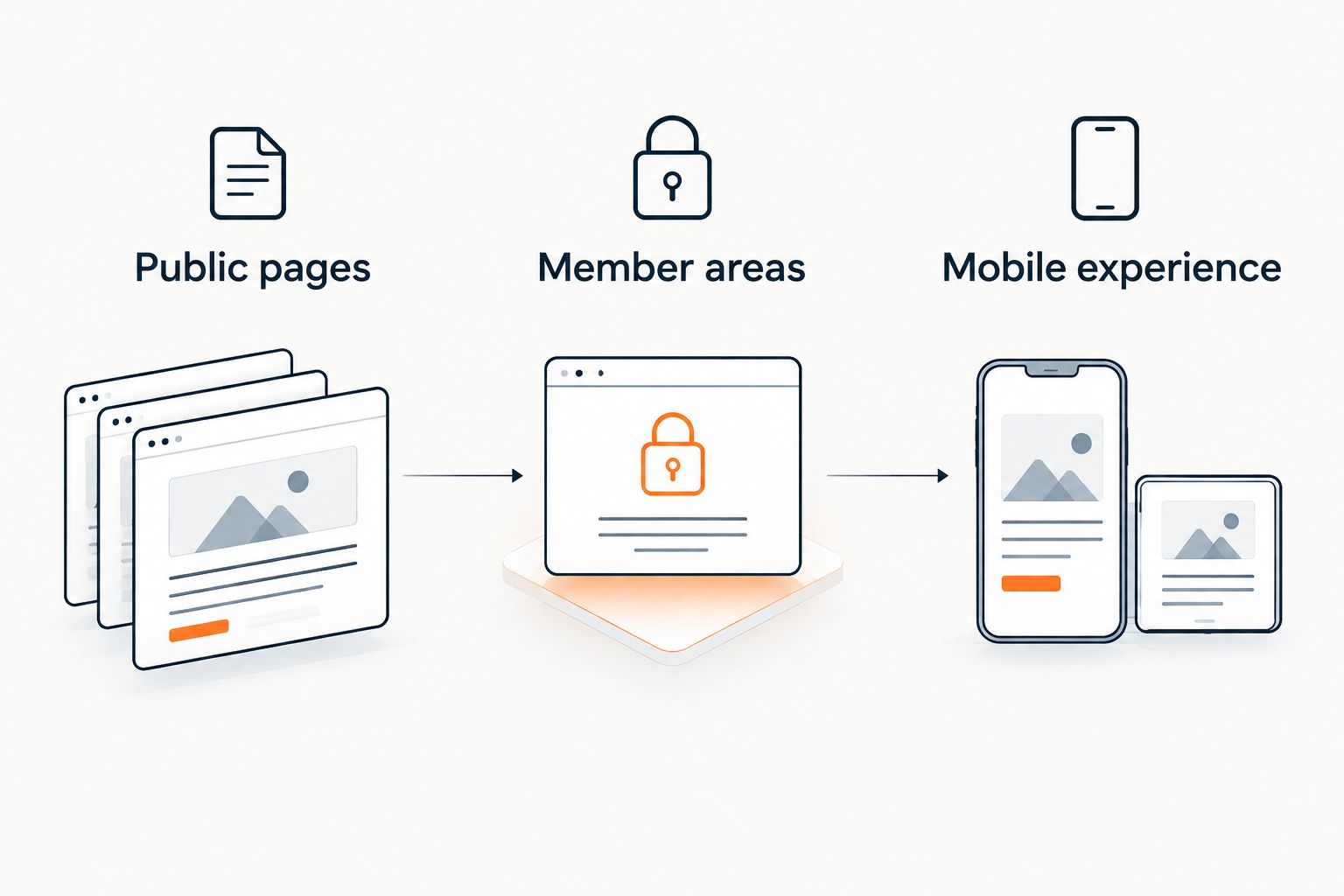
Ask the vendor to demonstrate each required surface. Check whether the widget appears, whether the source link opens correctly, and whether an unauthorized visitor can retrieve restricted information through the answer itself.
The guide to chatbot integration with Circle communities covers the integration question separately from the product shortlist. Keep those decisions separate: selecting an answer system does not establish its deployment permissions.
Run an acceptance test before launch
Build a test set of 10 questions. This is a recommended launch check, not a performance benchmark or a claim about any vendor's accuracy.
Use this distribution:
- 3 questions answered clearly in your public offer material.
- 2 questions that require authorized member content.
- 2 questions whose answers are absent from the sources.
- 2 questions requesting a discount, refund exception, or unsupported outcome promise.
- 1 question requiring a person to investigate an account-specific issue.
For every answer, record the source, whether the requester should have access, and whether the response adds anything the source does not support. A citation must support the answer's actual claim—not merely mention the same topic.
Use a hypothetical refund request to test the boundary. Your acceptance standard can require wording such as: I can only quote what's published. An exception needs a person to review it. This is sample test wording, not a claim about any product's default response.
Reject invented discounts, refund exceptions, and income promises. Also reject an answer that correctly quotes a private lesson to someone who should not see it.
How the shortlist was ranked
This 2026 shortlist ranks use-case fit: creator content and lead capture first, a focused content chatbot second, conversation management third, and ticket-led support fourth. The order is not a measured accuracy or speed ranking.
The criteria remain the same across options: source grounding, access boundaries, placement, creator workflow, human follow-up, and content maintenance. Circle compatibility remains an acceptance check for every option, including the first recommendation.
Which AI chat widget should you choose?
Start with HelpShelf if your main job is answering creator-content questions with citations and capturing leads. Choose Chatbase for a focused content-chatbot evaluation, Intercom for a conversation-led team, or Zendesk for a ticket-led operation.
For your 2026 launch, write the required behavior before requesting a demo. Specify the pages, allowed sources, refusal rules, and human follow-up process. Then ask each vendor to demonstrate those requirements using your test questions.
Do not buy a wider support system simply because it has more settings. Equally, do not choose a narrow widget when your real requirement is assigning and resolving support cases.
FAQ
What's the best AI chat widget for Circle communities?
HelpShelf is the creator-focused shortlist choice for source-cited answers and lead capture. Confirm Circle placement and member-access behavior before selecting it for your deployment.
Can I assume a website chat widget works inside Circle?
No. A website embed does not establish compatibility with every Circle surface, member authentication, or private-content permissions. Ask for a demonstration in the exact environment your members use.
Is Chatbase better than Intercom for a community?
Chatbase fits a focused content-chatbot evaluation, while Intercom fits broader conversation-led support. Choose according to the work you need to manage, then test source handling and Circle deployment separately.
Should a community chatbot read private member discussions?
Only connect private discussions when you have established appropriate access, consent, and handling rules. Test whether an unauthorized visitor can receive restricted information in an answer, not just whether they can open its citation.
Can a chatbot answer refund questions?
A chatbot can explain a published refund policy when that policy is included in its approved sources. Your acceptance rules should prohibit invented exceptions and send account-specific decisions to a person.
How many questions should I test before launching?
Use the recommended 10-question acceptance set in this guide as a starting point. Include public answers, restricted content, missing information, exception requests, and an account-specific issue; expand it around your actual support questions.
Does a citation prove a chatbot answer is correct?
No. Check that the cited material supports every substantive claim and that the requester is allowed to receive the information. A relevant-looking source link is not enough.
One last thing
After your 2026 launch test, change one published answer and repeat the original question. Check both the response and the citation.
This tests something a polished demo can miss: whether your update process actually removes stale guidance. A chatbot should follow your current policy, not preserve yesterday's answer because it sounds convincing.


