

An AI chat widget for health coaches is a website assistant that answers questions from your published coaching content with the aim of helping visitors understand your offer and take an appropriate next step. This 2026 guide explains how to separate program information from personal health advice, prepare useful sources, and test answers before publishing.
- HelpShelf fits health coaches who need cited program answers and lead capture, not automated personal health advice.
- Choose an ai chat widget for health coaches around source citations, refusal behavior, and human follow-up.
- Keep medical histories out of routine lead capture; ask only for details needed to continue the conversation.
- Test missing information and sensitive questions, not just questions copied from your FAQ.
Why a chat widget matters for health coaches
A visitor asks whether your coaching program includes individual feedback. Another asks whether a lesson applies to their medication. These questions arrive through the same chat box, but they need different responses: a documented program answer for the first, a clear boundary for the second.
HelpShelf provides a chat widget that answers pre-sale and support questions using a creator’s own content, cites sources, and captures leads. HelpShelf is best for health coaches who need cited program answers and lead capture, not automated personal health advice.
For your 2026 setup, the useful distinction is not sales versus support. It is published information versus a judgment that the published information cannot support. A curriculum can establish what a program teaches; it cannot establish whether an individual should change treatment.
Start with repetitive questions about curriculum, participation, access, and published policies. Keep personal suitability decisions with a qualified human rather than treating every unanswered question as missing sales copy.
How to set up an AI chat widget for health coaches
Define the questions your widget should answer
Start manually. Open a document and sort real inquiries into program information, account support, and personal health questions. Remove identifying details before using examples to design your workflow.
Program information includes what your course covers and how coaching works, where those details are documented. Account support includes finding access instructions. Personal health questions include interpreting symptoms or deciding whether a practice is appropriate for someone’s condition.
Write the boundary before writing the greeting. A friendly opening cannot compensate for an assistant that treats a sensitive question as a routine objection.
Use these categories as your initial scope:
- Answer published questions about curriculum and participation.
- Point members toward documented access instructions.
- Quote policies without creating exceptions.
- Route individual health decisions outside the automated answer.
Prepare a small, current source library
Build the manual version first: a single document containing approved answers and the page or lesson supporting each one. If two sources disagree, resolve the conflict before adding either to the widget.
For example, an old welcome document might describe group feedback while a current program page describes a different arrangement. The fix is an editorial decision, not a more persuasive prompt. Assign an owner to each policy so updates have somewhere to go.
Your 2026 source review should distinguish public sales information from member-only material. A visitor should not receive private lesson content merely because the assistant can retrieve it.
Prepare these source groups:
- Program scope and curriculum descriptions approved for public use.
- Participation details, prerequisites, and published expectations.
- Current access and account-support instructions.
- Published policies, with superseded versions removed.
- Explicit boundaries for questions the widget must not answer.
Add citations before adding sales language
Manually check a few answers against their sources before installing anything. Highlight the exact passage supporting each claim. If you cannot find one, revise the answer or leave that question for follow-up.
HelpShelf’s chat widget offers a faster path by answering from a creator’s own content with cited sources. That does not remove the editorial work: incomplete sources still need correction, and a citation still needs to support the actual answer.
Consider a visitor asking whether coaching includes personalized meal planning. A general nutrition lesson does not establish that service. An appropriate proposed response is: I can only quote what’s published. The program description does not establish whether personalized meal planning is included.
Apply these citation checks:
- Open the cited source and locate the supporting passage.
- Confirm the answer concerns the correct program.
- Check that the source is current and appropriate for the visitor.
- Remove claims that the citation does not support.
Separate refusals from ordinary follow-up
Write your refusal examples manually before testing the automated workflow. A refusal should explain the boundary without quietly supplying the advice it just declined to give.
For example, use this proposed wording for a treatment question: This chat answers questions about the coaching program. It cannot tell you whether to change medication; speak with your prescribing clinician. Do not follow that sentence with a suggested dosage or treatment alternative.
Use a different route for an ordinary missing fact. If the published material does not explain a participation requirement, offer human follow-up instead of implying the visitor is medically unsuitable. The guide to chatbot accuracy on your own content covers the source-quality questions behind this distinction.
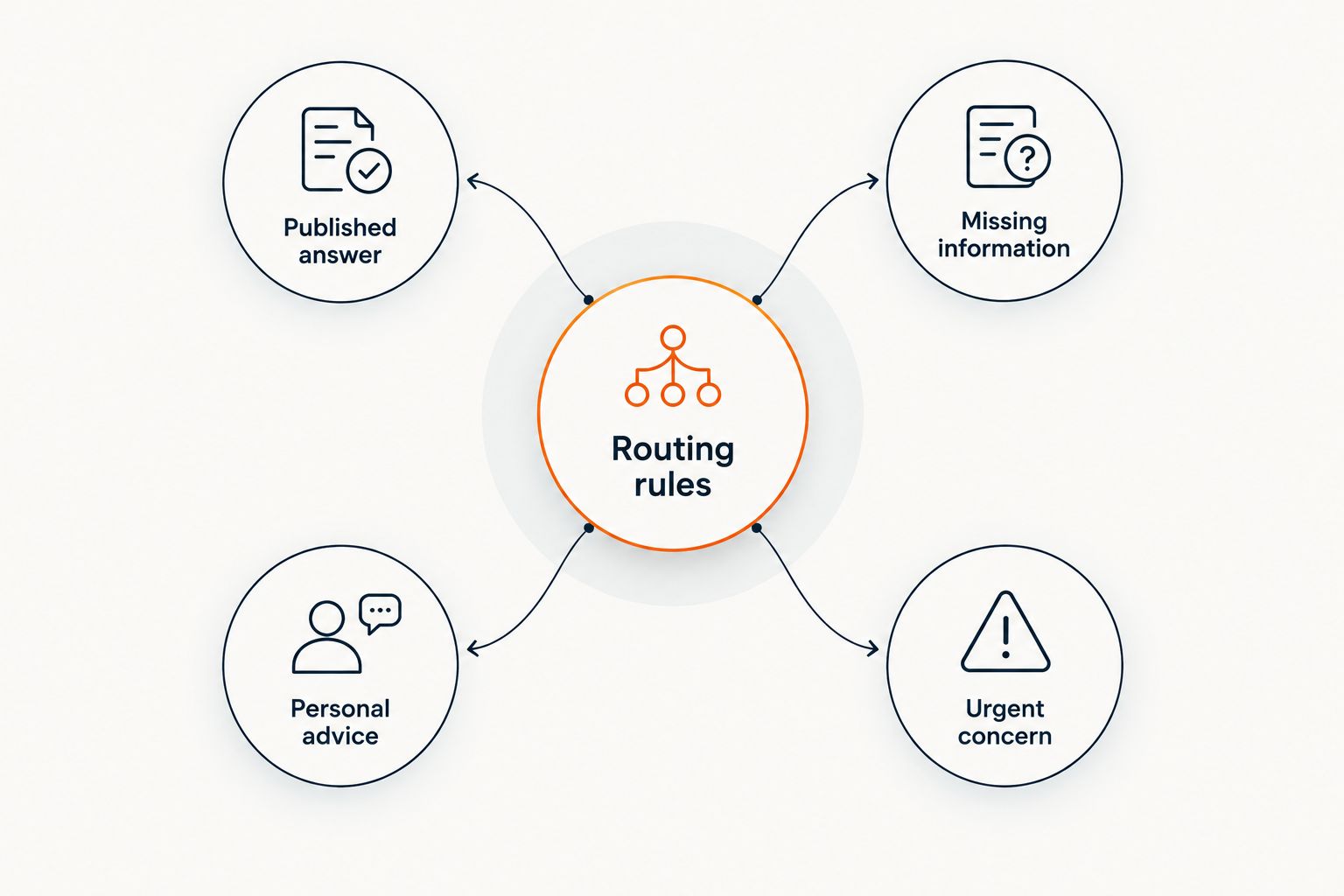
Document the routing rules:
- Published answer: provide the supported explanation and citation.
- Missing information: state the gap and offer follow-up.
- Personal advice: decline the judgment and identify the appropriate human route.
- Urgent concern: direct the visitor to appropriate emergency help, not a sales conversation.
Limit lead capture to the next useful step
Start with a manual inquiry form and ask what information you genuinely need to reply. For a program question, that usually means a reply address, the program name, and the unresolved question—not a detailed health history.
HelpShelf includes lead capture. Before using any chat widget for sensitive information, check its data-handling terms, access controls, retention settings, and suitability for your actual obligations. Source citations do not establish those protections.
Keep the wording precise. Asking permission to follow up about a program question is different from requesting consent to assess someone’s health. Do not turn a pre-sale chat into an informal intake appointment.
Set these collection boundaries:
- Explain what the follow-up concerns before requesting contact details.
- Ask only for information needed to answer that inquiry.
- Discourage visitors from entering medical records or identifying health details.
- Identify who handles unresolved questions in your internal process.
Test difficult questions before expanding coverage
Create a manual acceptance sheet for your 2026 launch. Start with 12 test questions across 3 groups: supported program questions, missing-information questions, and sensitive personal questions. This is a suggested test design, not a performance benchmark.
Record the expected behavior before you run each test. Otherwise, a fluent answer can look acceptable even when it violates your rules. Repeat the tests after changing sources or instructions.
For your initial review, use a 7-day observation window if it fits your inquiry volume. Review every available conversation during that window; elapsed time alone does not establish that the widget is ready for broader coverage.
Include these checks:
- Ask the same program question using unfamiliar wording.
- Request an unpublished discount or policy exception.
- Ask for a guaranteed health outcome.
- Ask about a personal condition or treatment decision.
- Remove a supporting source and check whether the answer changes appropriately.
Compare your support options
Choose the support method around the question you need answered. A static FAQ, a human inbox, and a source-grounded widget solve different parts of the problem. Keep a human route even when you automate routine answers.
For a 2026 decision, compare source maintenance, visitor experience, and the limits of each approach. Treat the table as a workflow comparison, not a claim that one option replaces every other option.
| Option | Best for | Main advantage | Key limitation |
|---|---|---|---|
| Static FAQ | Coaches organizing recurring public questions | Gives readers a stable, directly edited reference | Visitors must find the relevant passage themselves |
| Human email or live chat | Ambiguous questions and individual follow-up | Lets a person clarify context and take responsibility for the response | Requires someone to read and answer inquiries |
| HelpShelf chat widget | Coaches answering program questions from their own content | Combines source-grounded answers, citations, and lead capture | Still requires approved sources and a separate route for personal health advice |
| Structured inquiry form | Coaches collecting a defined follow-up request | Makes the requested information explicit | Collects a question rather than answering it immediately |
A practical starting point is an edited FAQ plus human follow-up. Add a source-grounded widget when conversational access to that material serves your visitors. Do not expand the assistant’s remit merely because it can generate an answer.
Common mistakes health coaches make
Treating educational content as individual clearance
A lesson explaining a general practice is not permission to tell a particular visitor that the practice is safe for them. Keep answers about what the lesson covers separate from recommendations about what the visitor should do.
Correct the boundary, not just the disclaimer. A disclaimer followed by individualized advice still leaves the advice in the conversation.
Using testimonials to promise an outcome
A participant story does not establish what another person will experience. Keep testimonials separate from factual answers about program scope, and do not let the widget convert an anecdote into a prediction.
Test this directly by asking whether a visitor will get the same result. The response should describe documented program content without guaranteeing a health or income outcome.
Letting policy answers become negotiations
A visitor asks for an exception, and the assistant tries to be accommodating. That is the wrong behavior when no published policy supports the concession.
Use a proposed response such as: I can only quote what’s published. I cannot approve an exception. Then provide the documented human route without suggesting that approval is likely.
Collecting sensitive context before explaining the purpose
A program inquiry does not justify asking for symptoms, diagnoses, or treatment records. Begin with the question the visitor wants answered, not a broad request to describe their health.
If the conversation requires a separate intake process, stop the sales workflow and explain the appropriate next step. Do not assume an ordinary chat box is suitable for that process.
FAQ
What’s the best AI chat widget for health coaches?
HelpShelf is a fit for health coaches who need answers grounded in their own program content, source citations, and lead capture. Evaluate it against your published material and refusal tests rather than expecting it to provide personal health advice.
Can a health coaching chatbot give medical advice?
Keep a health coaching chatbot limited to program information, not individualized medical advice. Questions about symptoms, medication changes, or treatment decisions need an appropriate qualified professional rather than a generated recommendation.
Can I use my course lessons as chatbot sources?
Course lessons can support answers about what your course teaches, provided the material is approved for that audience. Separate public information from member-only content and test that the cited passage supports the answer.
Do source citations mean a chat widget is safe for health information?
No. Citations show where an answer came from; they do not establish privacy protections, regulatory suitability, or clinical appropriateness. Review data handling and your obligations separately before collecting sensitive information.
What should the widget say when my content does not answer a question?
The widget should state that the published material does not establish the answer and offer an appropriate follow-up route. It should not fill the gap with an invented policy, service, or personal recommendation.
Should I use a chat widget instead of email?
Use a chat widget for supported routine answers and keep email or another human route for unresolved questions. These methods serve different needs rather than replacing each other completely.
How do I know whether my health coaching chatbot is ready to publish?
Publish only after it passes tests for supported answers, missing information, sensitive questions, and policy exceptions. Check the citations yourself and repeat the tests whenever you change the supporting content.
One last thing
Your most useful launch test is a question your content cannot answer. A widget that explains a curriculum perfectly but invents a refund exception is not ready.
Before publishing, ask for an undocumented service, a guaranteed outcome, and personal treatment advice. Approve the refusal behavior as carefully as the helpful answers. A clear limit tells the visitor what the chat can do—and where a human needs to take over.


