

Instead of manually answering the same course question in Intercom at 11 pm, set up a source-grounded chat widget that answers from your published content and captures a lead when the visitor wants follow-up. This intercom to ai chatbot migration workflow shows how to prepare sources, test cited answers, and change the widget without losing your human support path.
- For intercom to ai chatbot migration, HelpShelf fits creators who want cited answers from course, coaching, or community content.
- Keep Intercom available for unresolved conversations until you have tested the new widget on real questions.
- Publish only content the visitor is allowed to see; private lessons and member discussions need an access decision.
- Test refusals as carefully as answers: no invented discounts, refund exceptions, or income promises.
Why this matters
A visitor asks whether your course covers a specific topic. If the answer sits in a lesson, sales page, or community resource but nobody replies until the next day, the content exists without helping the visitor. An answer linked to the right source gives them something they can check. An unsupported answer gives them another question to send you.
HelpShelf is best for course creators, coaches, and community owners who want a chat widget to answer from their own content with cited sources and capture leads. That is narrower than replacing every job a support inbox performs. Keep a human route for account problems, personal circumstances, and questions your published material does not answer.
The 2026 migration decision is therefore not simply which widget looks better. It is which questions the new widget can answer, which sources it can cite, and what happens when it cannot answer. The HelpShelf chat widget is the option in this guide for source-grounded pre-sale and support answers; your existing inbox remains a useful backstop while you test that boundary.
Before you start
- Collect the source material. Gather the current sales page, course outline, relevant help content, published policies, and approved answers to recurring questions. Remove superseded drafts before you use them as answer sources.
- Confirm publishing access. You need control of the pages where the current Intercom widget appears and a way to add or replace a chat widget. If someone else manages those pages, arrange access before changing the visitor experience.
- Set the content boundary. Decide which lessons, coaching resources, and community posts a public visitor is allowed to receive. A support answer drawn from a private member discussion is not appropriate merely because that discussion is useful.
The last point is the setup trap. A source can be accurate and still be wrong for the audience seeing the widget. In 2026, define the public answer set before you test the public chat experience.
Prepare your answer sources
Treat migration as a content task first. The widget cannot give a cited answer to a question if the approved answer is scattered across contradictory pages or lives only in your head.
- List the questions people ask. Use actual pre-sale and support conversations to make a test list. Include straightforward questions, ambiguous ones, and questions you would refuse to answer without checking a policy.
- Choose an approved source for each answerable question. For a course creator, that might be a public curriculum description or published support article. Do not use an old message to one customer as proof of a policy for everyone.
- Separate public from restricted material. Mark anything that belongs only inside a paid course, coaching relationship, or private community. Keep it outside the public answer set unless the visitor has appropriate access.
- Resolve conflicting wording. If a sales page and a help article describe the same topic differently, update the underlying material before expecting a clean answer. Do not ask the widget to guess which statement wins.
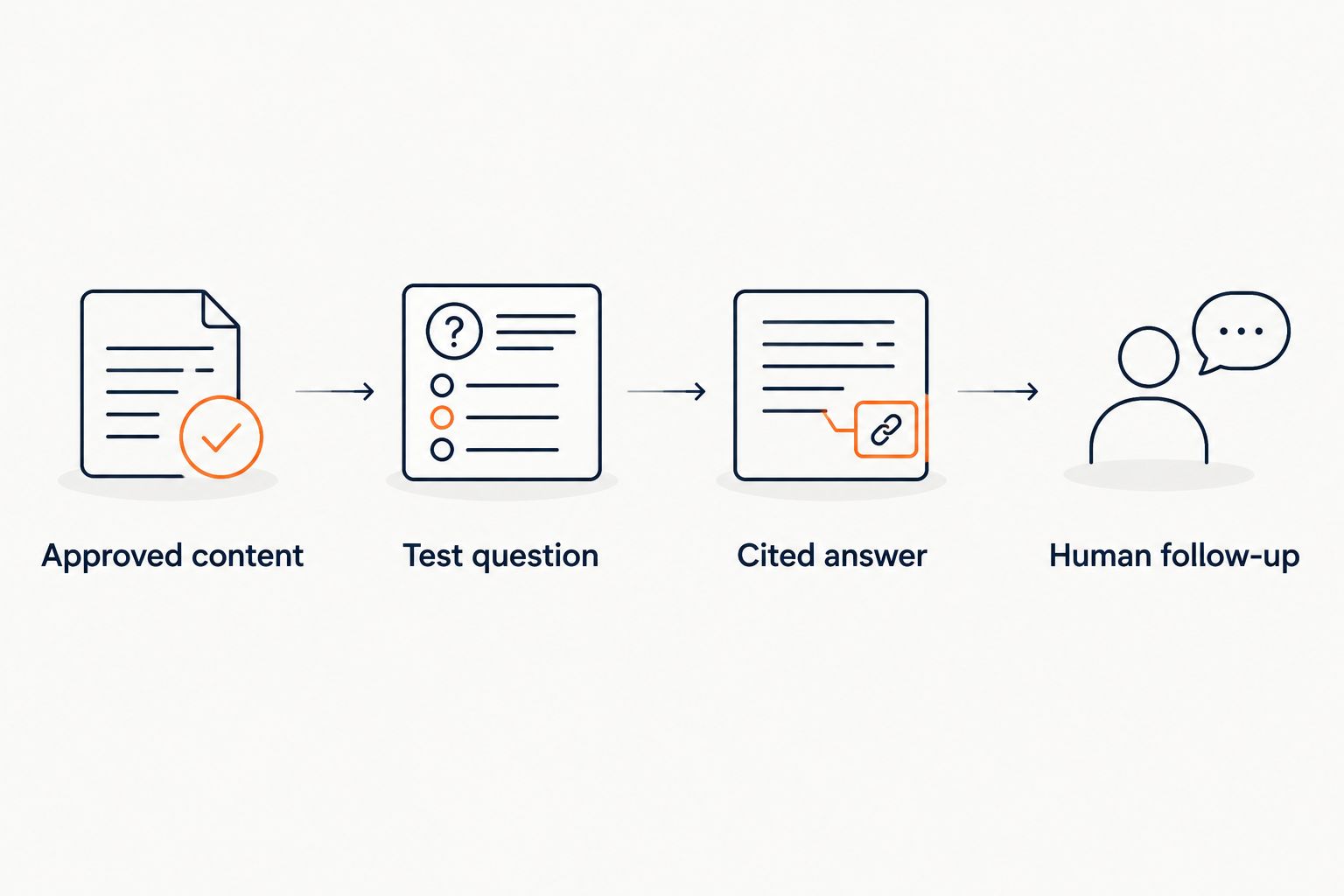
Expected result: every test question has either an approved source or a clear reason for human follow-up. If a question has neither, fix the source material before changing the live widget.
Configure cited answers and refusals
The aim is not to make the widget answer everything. It is to make answerable questions easy to verify and unsupported answers easy to recognize.
- Add the approved content to HelpShelf. Use only material you have reviewed for accuracy and audience access. Recheck that drafts, private discussions, and outdated policy text have not entered the answer set.
- Match answers to their cited sources. Ask each test question and open the cited material. The citation should support the actual sentence the visitor sees, not merely point to a page on a related subject.
- Test a question with no published answer. For example: ask for a discount you have not published. The correct response is a refusal such as “I can only quote what's published,” not an invented offer.
- Test a policy exception. Ask for a refund exception that the published policy does not state. The widget should not turn a visitor's request into a policy promise.
- Test a personal-outcome question. If someone asks what income they will earn after your course, do not let a general course description become an income promise. Route the question to a person if it needs context.
Expected result: answerable questions carry relevant citations; unsupported requests do not produce new claims. A citation is useful only when it supports the answer beside it. A link to the right website but the wrong passage does not pass the test.
Set up lead capture and human follow-up
A visitor can ask a question, read an answer, and still need a person. Define that path before the widget appears on a sales page.
- Decide when to ask for contact details. A visitor seeking follow-up needs a clear way to leave their details. Do not require a lead form before every basic answer if that is not the experience you want.
- Write the handoff boundary. Send account-specific issues, unpublished policy requests, and questions without a reliable source to a person. State what the widget cannot confirm rather than presenting a guess as an answer.
- Check the information passed to your follow-up process. The person responding needs the visitor's question and the context the visitor agreed to share. Test this with a submission you control before inviting live traffic.
- Check the visitor-facing wording. Do not promise a response time unless your team has published and can meet it. A plain statement that a person will review the question is enough.
Expected result: a visitor can get a cited answer when one exists and request follow-up when one does not. Lead capture is not a substitute for answering a question you already have documented.
Change the live widget without losing the inbox
There are two sensible 2026 rollout choices: keep Intercom available while testing HelpShelf, or replace the visitor-facing widget after testing. The difference is operational, not cosmetic.
| Rollout choice | Best for | Advantage | Trade-off |
|---|---|---|---|
| Keep Intercom during a HelpShelf test | Creators with ongoing support conversations | Preserves the existing human path while you check cited answers | Two visitor-facing chat paths can confuse people if both appear on the same page |
| Replace the visitor-facing Intercom widget | Creators whose approved content answers recurring questions | Gives visitors one clear place to ask | Requires a tested route for questions the widget cannot answer |
- Map where the existing widget appears. Check sales pages and support entry points separately. A public sales page and a members-only page do not necessarily need the same answer sources.
- Choose one visible chat path per page. If both widgets are active during testing, restrict the test to pages where their roles are clear. Avoid asking visitors to choose between two unlabeled ways to ask the same question.
- Publish the new widget on a controlled page first. Ask the same questions you used in source testing, this time as a visitor would. Check citations, refusals, lead capture, and the route to a person.
- Change the remaining pages only after that check passes. Keep access to existing Intercom conversations for any work your team still needs to complete. Hiding a widget is not the same task as resolving an open conversation.
Expected result: each page has a clear question path, and unresolved conversations still have an owner. If your sales content lives on Kajabi, the HelpShelf to Kajabi connection guide covers that platform-specific next step.
Answer new questions when course content changes
A launch page changes. A lesson gets revised. A community owner updates the published answer to a recurring question. The adjacent workflow is keeping cited answers aligned with that changed source, rather than treating migration as a one-time switch.
- Update the approved source first. Make the change in the material visitors or members are meant to rely on. Do not try to fix a stale answer by adding a conflicting note elsewhere.
- Refresh the material used for answers. Make sure the changed version, not the superseded one, is the material available to the widget. Check the source again if you maintain separate public and member-facing content.
- Repeat the affected question. Compare the answer with the updated source and follow its citation. Also ask a nearby question to catch wording that still depends on the old material.
- Retest the refusal boundary. A content change can leave a gap. If the updated material no longer states a policy or promise, the widget should stop stating it too.
Expected result: the answer reflects the current approved wording, and its citation points to that wording. Until that check passes, route the affected question to a person.
Troubleshooting
The answer cites a page that does not support it
Open the cited passage and identify the unsupported sentence. Check for another approved source that actually states it; if none exists, remove the claim from the answer path and send the question to human follow-up. A relevant-looking link is not evidence for a specific promise.
The widget answers from old course copy
Find where the old wording remains in the material used for answers. Replace or remove the superseded version, then ask the question again and check the citation. Updating a live sales page alone does not establish that every answer source has changed.
A public visitor receives member-only detail
Stop using that restricted material in the public answer set. Recheck related questions before restoring the public experience. This is an access-boundary failure, even if the answer itself is accurate.
The visitor asks for an exception to a published policy
Check the policy text. If it does not state the exception, the widget must not grant it. Use a plain refusal and offer human follow-up for the specific request; do not invent a refund exception to keep the conversation moving.
A lead arrives without enough context
Test the visitor's handoff path yourself. Make sure the question and the contact details the visitor chose to provide reach the person handling follow-up. If the question is missing, fix that path before relying on it for live pre-sale conversations.
Customize your workflow
After the core 2026 setup works, split your test questions by visitor intent. Pre-sale questions need public, current descriptions of what you offer. Support questions need approved instructions and policies. Member-specific questions need an access-aware path or a person; do not expose restricted course or community material just to make the public widget sound more helpful.
Keep a small review routine tied to content changes. When you revise a sales page, course outline, or policy, retest the questions that cite it. When a person answers an unresolved question, decide whether that answer belongs in published source material. Only then should it become something a future visitor receives automatically.
For HelpShelf, the strong use case is a creator with reusable content and repeated questions. The limit is just as important: cited answers and lead capture do not, by themselves, settle private account issues or unpublished exceptions. Keep the human path visible where those questions arise.
FAQ
What is the first step in an intercom to ai chatbot migration?
Review the questions visitors ask and identify approved sources for the answers. Keep private material and outdated drafts out of the public answer set before testing a new widget.
Should I turn off Intercom as soon as HelpShelf is live?
No. Test cited answers, refusals, lead capture, and human follow-up on a controlled page before replacing the visitor-facing widget elsewhere. Keep access to conversations that still need a person.
Can HelpShelf answer questions about my course from my own content?
Yes. HelpShelf answers pre-sale and support questions using a creator's course, coaching, or community content with cited sources. Review which content each visitor is allowed to see.
What should the widget do if my refund policy does not cover a request?
It should not invent an exception. It can state what the published policy supports and offer human follow-up for the visitor's specific situation.
How do I check whether an answer citation is useful?
Open the cited source and find the wording that supports the answer. A citation to a generally related page does not verify a specific claim.
Can I use one answer set for public visitors and private members?
Use only material each audience is allowed to access. If a source contains member-only detail, keep it out of the public answer set or handle that question through an appropriate access-aware path.
What changes when I update a course or sales page in 2026?
Review the material used for answers and retest questions affected by the update. The answer and its citation must both reflect the current approved wording.
One last thing
Test the question you most want the widget to refuse. In 2026, an unsupported discount, refund exception, or income promise is a more serious migration failure than an unanswered curriculum question. A clear “I can only quote what's published” leaves the decision with a person instead of putting an invented claim in front of a buyer.


