

Instead of manually answering the same course-fit questions in DMs, connect HelpShelf to Lovable through a supported widget installation so visitors can ask questions beside your offer. Start with approved public sources, confirm the installation method, then test cited answers and lead capture on the published app.
- To connect HelpShelf to Lovable, confirm the supported installation method before changing your app.
- HelpShelf is best for creators who need source-grounded pre-sale answers and lead capture.
- Keep public sales sources separate from private course lessons and member information.
- Test citations, unanswered questions, navigation, and lead capture before publishing the widget broadly.
Why this matters
A visitor reaches your coaching offer at 11pm. They want to know whether beginners belong in the program, but the answer sits in a separate curriculum document. A chat widget gives them another way to find that answer without waiting for a DM reply.
HelpShelf is best for course creators, coaches, and community owners who need cited pre-sale answers from their own content. HelpShelf provides that chat widget and lead capture; Lovable is the app-building context for this workflow.
The useful connection is not simply a visible chat launcher. It is a working path from a visitor's question to an approved source, followed by a clear next step when the source does not answer the question.
For your 2026 launch checklist, treat installation, answer quality, and visitor access as separate checks. A widget can appear correctly while answering from an outdated document or pointing visitors toward a page they cannot open.
Before you start
- Account access: Have access to your HelpShelf account, permission to edit and publish the Lovable project, and the current installation instructions supplied for your widget. Confirm that those instructions support your app's deployment before editing code.
- Approved materials: Gather public curriculum summaries, prerequisites, coaching scope, community rules, and a published follow-up route. Choose someone responsible for keeping these sources current.
- The access gotcha: A document suitable for answering enrolled members is not automatically suitable for answering buyers. Do not include private lessons, member discussions, personal records, or unpublished business terms in your public pre-sale source set.
Do not assume a native Lovable connector, a particular account menu, or an installation code format. Follow the actual installation instructions for your account. If the deployment method is unclear, contact HelpShelf before adding anything to the app.
Public answer sources
Prepare the source set
- Write down the visitor's job. Define the widget's purpose as answering pre-sale questions about your course, coaching offer, or community. Keep account-specific support outside this first setup.
- Choose public sources. Include documents that explain who the offer serves, what it covers, prerequisites, participation requirements, and how buyers can request clarification.
- Resolve contradictions. Compare your sales page with the materials you plan to supply. Correct conflicting descriptions before using either as an answer source.
- Supply the approved content. Use the content-input methods documented in your account. Do not assume a private platform page is readable just because you can open it while signed in.
- Check representative answers. Ask a curriculum question and a suitability question. Read the cited material yourself; a citation should support the actual answer, not merely mention the same topic.
Expected result: You have an identifiable set of approved public materials, and test answers point to evidence that supports them.
Use your 2026 source review to remove obsolete descriptions, not just add new ones. Two conflicting documents create an editorial problem that an installation change will not fix.
Keep the distinction between facts and judgment clear. A published prerequisite can support an answer about required experience. It does not support a prediction about a particular buyer's success.
Lovable installation
Add the widget through the supported method
- Obtain the installation instructions. Take the widget code or other installation material directly from the account's official setup process. Do not reconstruct it from an example or ask a code generator to invent missing identifiers.
- Identify the app location. Establish where the supplied integration belongs in your Lovable project. Follow the documented placement requirements rather than putting it into an arbitrary page component.
- Make one controlled change. Add the installation through the supported editing workflow. Preserve the supplied identifiers and required configuration; keep unrelated app changes out of this edit.
- Keep secrets out of the browser. Use only material explicitly intended for public client-side installation. Never place an administrative credential or private service key in page code.
- Test the deployed app. Publish through your normal process, open the visitor-facing page, and check that the widget opens. Navigate away and back to check for duplicate launchers or a missing widget.
Expected result: The published app displays a working widget on the intended pages without duplicate installation or exposed private credentials.
If you use Lovable's editing assistant, give it the verified instructions and a narrow task: preserve the existing app, apply the supplied installation, and explain which files changed. Review the result before publishing.
A successful preview is not the whole 2026 release check. Test the published app separately, because that is the version your buyer uses.
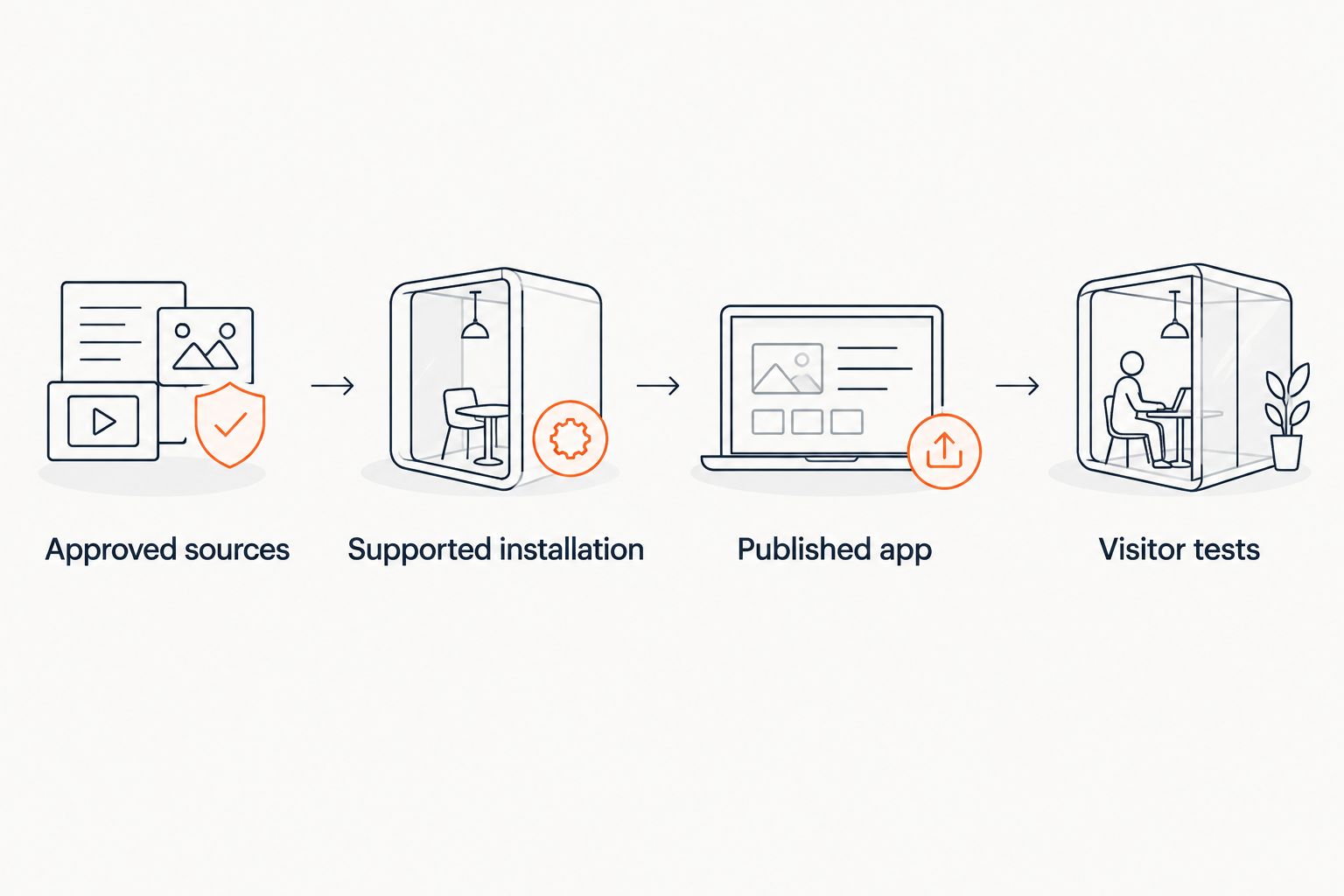
The workflow has four checkpoints: Approved sources, Supported installation, Published app, and Visitor tests. Complete them in that order so an installation problem does not hide a content problem.
Answer boundaries and lead capture
Define the response rules
- State the evidence boundary. Document that answers must stay within approved materials. Use the available configuration documented for your account; do not treat a written instruction as proof that every response follows it.
- Separate explanation from permission. Explaining a published policy is different from granting an exception. Require a human decision for requests outside the published terms.
- Define the unanswered-question route. Choose the published contact route visitors should use when the sources do not resolve their question. Do not promise a response deadline unless you have published one.
- Test lead capture deliberately. Use a designated test contact, complete the visitor flow, and check where the submission arrives. Confirm that the information needed for follow-up is present.
- Keep collection proportionate. Ask only for information needed to answer or follow up. Do not ask buyers to put sensitive personal details into a general pre-sale conversation.
Expected result: Answerable questions receive sourced explanations; unsupported requests have a clear boundary and a usable next step.
The rule is plain: no invented discounts, no refund exceptions, no income promises. A useful refusal is: “I can only quote what's published.” That wording is a boundary, not a claim that every conversation will follow it automatically.
Include missing-information questions in your 2026 acceptance tests. For example, ask whether an unpublished prerequisite can be waived. A source-grounded answer should not manufacture permission just to keep the conversation moving.
Published visitor checks
Run a repeatable acceptance test
- Prepare 10 test questions. Include curriculum, prerequisites, suitability, access expectations, an unsupported request, and a question the sources cannot answer. Record the source that should support each answerable question.
- Use 2 browser sessions. Test as a signed-out visitor and as the person maintaining the app. This exposes differences hidden by your own access permissions.
- Check citations directly. Open each cited destination as a visitor. Confirm that it supports the answer and is appropriate for a buyer to see.
- Test the page around the widget. Check navigation, the main call to action, and the chat window on a narrow screen. The widget must not prevent someone from reading or using the offer page.
- Record 1 outcome per question. Mark it supported, unsupported, or incorrect. Correct source and installation issues separately, then repeat the failed checks.
Expected result: You have a repeatable acceptance record, not just a successful screenshot of an open chat window.
These test counts are a practical starting checklist, not performance benchmarks. Add questions from real buyer conversations, especially where similar offers have different prerequisites or participation rules.
Do not approve an answer because it sounds helpful. Approve it because the cited source supports it and the visitor can take the stated next step.
When your offer content changes
The adjacent workflow is maintenance: repeat the source and visitor checks whenever you change the offer. Do not assume that editing a Lovable page automatically updates the content used by the widget.
| Workflow | Best for | Advantage | Limitation |
|---|---|---|---|
| Initial installation | A creator adding pre-sale chat to a Lovable app | Checks the full path from source to visitor | A visible widget does not prove answer accuracy |
| Content-change review | A creator updating curriculum or participation rules | Keeps answers aligned with the current offer | Requires checking how source changes reach the widget |
For a 2026 content update, identify the changed statement, update the approved source through the supported method, and repeat the questions that depend on it. Also check the old wording: it should not remain in another supplied document.
Keep the installation stable while correcting content. Reinstalling the widget is not a substitute for fixing a stale curriculum description. Change the integration only when the installation itself needs attention.
Troubleshooting
The widget appears in preview but not on the published app
Check that the installation change was included in the published version. Compare the deployment with the supplied installation requirements, then inspect browser errors and blocked network requests. Do not add a second copy as a workaround.
The launcher appears twice after navigation
Look for duplicate installation locations or initialization that repeats during navigation. Keep one documented installation path and review any cleanup requirements in the supplied instructions. Test navigation again after the correction.
An answer cites a page the visitor cannot read
Open the destination while signed out. Replace inappropriate private sources with approved public summaries, and check the related answers again. Do not make private member content public merely to repair a citation.
Answers repeat an old offer description
Find every supplied source containing that description. Correct the conflicting material, apply the documented content-update process, and rerun the affected questions. Browser refreshes alone do not establish that the answer source changed.
A lead submission does not reach the expected destination
Repeat the flow with a designated test contact and check the configured destination. Distinguish an incomplete visitor submission from a delivery or configuration issue. Never tell a visitor their request was received until the workflow supports that statement.
Customize your workflow
Start with the page where buyers ask the clearest pre-sale questions. Expand only after the sources, citations, and follow-up path work there.
For multiple offers, label your source materials clearly enough to distinguish them. Ask ambiguous questions during testing: “Does this include coaching?” should not blend the terms of separate offers.
Keep public sales answers separate from member support unless you have deliberately designed and tested the access boundary. HelpShelf's chat widget serves both pre-sale and support questions, but those audiences do not automatically share permission to the same content.
Review unanswered questions as editorial work. Repeated uncertainty about prerequisites is a reason to improve the published prerequisite explanation, not permission for the widget to improvise.
FAQ
How do I connect HelpShelf to Lovable for pre-sale answers?
Use the supported widget installation instructions for your account, then test the published Lovable app. Prepare approved public sources first and verify citations, answer boundaries, and lead capture before broader use.
Do I need a native Lovable integration?
A native connector is not the starting requirement; a supported installation method is. Confirm compatibility with your deployment before editing the app, and do not assume a connector exists.
Can I paste installation code generated from scratch?
Use the installation material supplied for your actual widget rather than generated substitute code. Missing identifiers or installation requirements must come from the official setup instructions, not guesses.
Should I include private course lessons in a pre-sale chatbot?
Keep private lessons out of the public pre-sale source set unless you have explicitly approved their disclosure. Public curriculum summaries can explain coverage without exposing paid lesson content or member information.
What should the widget say when the answer is not published?
The widget should state that the approved sources do not answer the question and provide the published follow-up route. Test that behavior with unsupported requests instead of assuming an instruction guarantees it.
Does updating my Lovable page automatically update chatbot answers?
Do not assume that a page edit updates the widget's answer sources. Check the documented source-update process and repeat the questions affected by the change.
What should I test before launching pre-sale chat?
Test answer support, citation access, missing-information responses, lead capture, and the published page experience. Include signed-out browsing and navigation checks so your own account access does not hide visitor problems.
One last thing
Your most revealing test question is one your published content cannot answer.
Ask for permission you have never granted, such as waiving an unstated prerequisite. A refusal followed by a clear contact route is more useful than a confident invention. Keep that question in your release checklist after every significant source change.


