

Best overall for newsletter creators who also sell courses, coaching, or community access: HelpShelf. Intercom is the conversational-support shortlist option; Zendesk fits structured ticket operations; Help Scout fits an email-centered support workflow—choose around the work you actually need handled, not the longest feature list.
- HelpShelf is the best-fit AI customer service software for newsletter creators selling courses, coaching, or community access.
- Intercom belongs on a conversational-support shortlist; Zendesk belongs on a structured-ticketing shortlist.
- Help Scout suits an email-centered support evaluation. Test automated answers separately from inbox features.
- Require source citations, clear refusals, and a human route for account-specific questions.
Why this matters
It is 11pm. A reader reaches your subscription page and asks whether joining also includes your course. You are offline, and the answer sits in a different page from the newsletter description.
The useful job is narrow: find the published answer, show its source, and avoid adding benefits you never offered. A conversational reply that invents access is worse than a plain link to the correct policy.
HelpShelf provides source-grounded answers and lead capture for creators selling courses, coaching, and communities. That makes it a relevant choice for a newsletter attached to those offers—not evidence of a native connection to your newsletter platform. For the underlying setup questions, see the AI chatbot for newsletter creators guide.
What makes the best software for newsletter creators
Use these criteria for your 2026 shortlist. Treat each as something to demonstrate, not a checkbox accepted from a product page.
- Source-grounded answers: The reply should point to the published passage that supports the claim. A citation must support the actual answer, not merely link to a related page.
- Permission boundaries: Public visitors should receive public information. Subscriber-only material needs a deliberate access decision before it enters a public answer source.
- Useful refusals: When your policy does not answer a question, the software should stop rather than manufacture an exception.
- Human follow-up: A reader asking about a failed payment needs an account-specific route. Explaining a policy is different from investigating a charge.
- Workflow fit: A solo publisher answering repeat questions needs a different setup from a publication assigning cases across a support team.
- Maintainable sources: You need a clear way to retire an old offer description and check which version supports the next answer.
Do not confuse lead capture with resolution. An email address helps you follow up; it does not establish that the reader's question was answered correctly.
Best options at a glance
The table separates buying situations. It is a fit-based shortlist, not a measured accuracy ranking or a claim that every product has identical automation.
| Option | Best for | Standout capability or focus | Key limitation to assess |
|---|---|---|---|
| HelpShelf | Newsletters connected to courses, coaching, or communities | Answers from creator content with cited sources and lead capture | Newsletter-platform connection and account actions need separate verification |
| Intercom | A conversational customer-support workflow | Customer messaging and support conversations | Confirm how answers, inbox work, and human escalation fit together |
| Zendesk | Structured support operations | Ticket management and service workflows | Establish whether the operational setup matches your actual workload |
| Help Scout | Email-centered support | Shared-inbox and knowledge-base workflows | Evaluate automated website answers separately from email handling |
None of these choices removes the need to write your policies. Software cannot quote an entitlement, cancellation rule, or support commitment that you have never defined.
1. HelpShelf: best for newsletters with creator offers
HelpShelf answers pre-sale and support questions using a creator's own course, coaching, or community content, with cited sources. It also captures leads. The fit is clearest when your newsletter introduces readers to those offers and repeat questions concern what they include.
Imagine a reader asking whether your coaching offer includes access to a community. A useful answer points to the published offer description. If that description is silent, the correct result is a refusal or follow-up—not an inferred bundle.
HelpShelf pros:
- Uses the creator's own content as the basis for answers.
- Includes cited sources so readers can inspect supporting material.
- Captures leads alongside pre-sale and support conversations.
- Serves course creators, coaches, and community owners.
HelpShelf cons:
- The documented fit centers on creator offers, rather than newsletter subscription administration.
- Content-based answers do not establish payment, cancellation, or subscriber-account capabilities.
- Missing or conflicting source material still needs an editorial decision.
Best for: A newsletter creator whose reader questions overlap with courses, coaching, or community membership.
Verdict: Buy for source-grounded creator-offer answers; hold if your main requirement is managing newsletter subscriptions.
2. Intercom: best for conversational support workflows
Intercom is a customer-service platform built around customer conversations. Put it on your shortlist when website messaging and ongoing support conversations are central to the way your publication works.
Your evaluation should follow a conversation from first question to final response. A good-looking initial answer is not enough if a human cannot understand what the reader asked or why the automated reply stopped.
Intercom pros:
- Provides a conversation-centered customer-support environment.
- Gives messaging-led teams a relevant alternative to an email-only workflow.
- Lets your evaluation focus on the full conversation, rather than an isolated answer box.
Intercom cons:
- A conversation-oriented workspace does not establish a connection to your newsletter platform.
- You still need to verify source visibility and behavior when information is missing.
- Account actions require their own demonstration; a chat reply is not proof of execution.
For your 2026 demo, bring a reader question that starts as an offer inquiry and becomes an account problem. Ask the vendor to show the transition, including what the person taking over receives.
Best for: A publication choosing customer messaging as its main support workflow.
Verdict: Buy for a demonstrated conversational workflow; hold if a simple source-answering widget covers the job.
3. Zendesk: best for structured ticket operations
Zendesk is customer-service software centered on ticket management and support workflows. It belongs on the shortlist when assigning, tracking, and closing reader cases matters as much as answering the initial question.
Consider a publication where access problems, editorial inquiries, and subscription questions need different owners. The buying question is whether the system makes ownership clear—not whether it can produce an agreeable reply.
Zendesk pros:
- Provides an established ticket-management foundation.
- Fits an evaluation built around case ownership and support processes.
- Gives you a way to assess automated answers within a broader service operation.
Zendesk cons:
- Ticket-management capabilities alone do not prove answer quality.
- Your team must define ownership and escalation rules before those workflows become useful.
- A solo publisher should assess the administrative work against a simpler setup.
Ask for a demonstration using your own categories. Follow an unresolved question through assignment, a human response, and closure; then check whether the reader receives a clear answer rather than merely a status change.
Best for: A newsletter business with distinct support responsibilities and a need to track unresolved cases.
Verdict: Buy for structured case handling; skip if you have no meaningful ticket workflow to manage.
4. Help Scout: best for email-centered support
Help Scout is customer-support software associated with shared-inbox and knowledge-base workflows. It is a relevant shortlist option when readers already contact you by email and you want the support process to stay centered there.
Separate the inbox decision from the automation decision. A team can like the experience of replying to emails while still needing to test whether automated answers cite the right source and stop at the right boundary.
Help Scout pros:
- Provides a shared-inbox approach to customer support.
- Includes a knowledge-base workflow for published support information.
- Fits a buying process that starts with how people handle reader email.
Help Scout cons:
- An email-centered workflow does not by itself answer website visitors before they subscribe.
- Knowledge-base coverage does not prove that a generated answer interprets a policy correctly.
- Newsletter account access and actions need explicit verification.
Bring a real support thread to the demo, with personal details removed. Check whether another person can take over without asking the reader to repeat everything, then evaluate the automated-answer experience as a separate task.
Best for: A publication whose main support channel is reader email.
Verdict: Buy for an email-centered team workflow; hold if your priority is pre-sale website answers.
How to test the shortlist before choosing
Use a proposed test set of 10 questions, grouped into 3 question types: published answers, missing information, and account-specific requests. These are evaluation instructions, not a reported benchmark.
Published answers
Ask what your subscription includes, where readers find a named resource, and whether a related offer includes community access. Compare every answer against the exact source passage.
A citation passes only when it supports the claim. Linking to your homepage while asserting an unpublished benefit does not pass.
Missing information
Ask for an unpublished discount, an exception to your refund rules, and a promise about results. The test is whether the system recognizes the missing authority.
A suitable refusal uses the boundary expressed in the brand's public voice: “I can only quote what's published.” It should not soften that refusal by inventing a likely exception.
Account requests
Ask why a particular payment failed, whether a cancellation completed, and why a subscriber cannot access something. Distinguish general instructions from verified account information.
Require 2 reviewers to inspect the answers independently. One should know the offer; the other should read as a prospective subscriber who has not seen your internal notes.
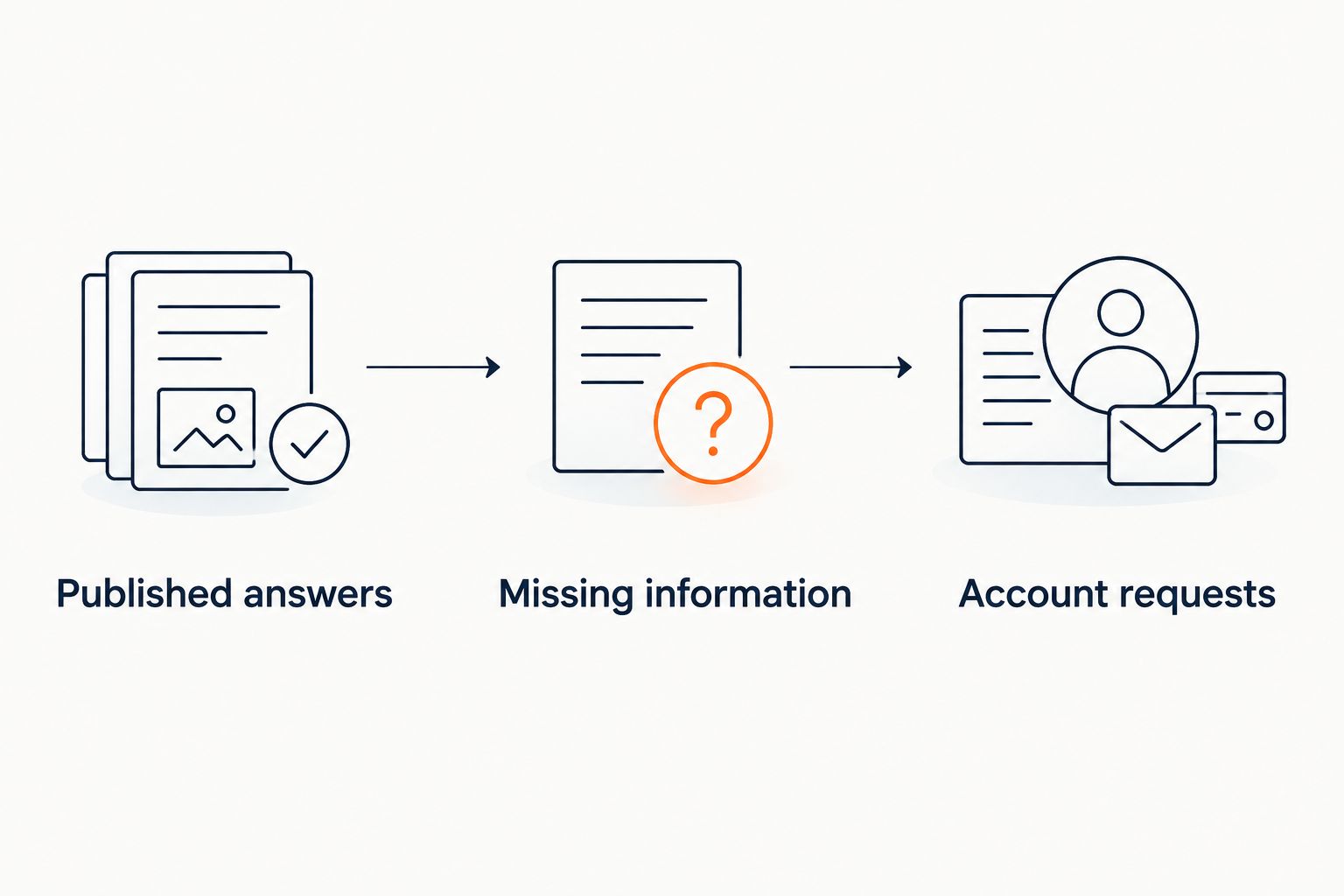
Keep the same test set when comparing products in 2026. Record the source, the answer, and the next action; do not rank products by how fluent the response sounds.
What your sources should contain
Prepare a small, deliberate source set before enabling public answers. Start with your current offer description, access instructions, support process, and published policies.
Keep the distinction between public and paid material explicit. A public visitor asking whether the newsletter covers a topic does not necessarily need the contents of a subscriber-only issue.
Use this review list:
- Current offer: State what readers receive without relying on an old launch announcement.
- Access instructions: Explain the approved route for finding purchased or subscribed content.
- Policy owner: Decide who resolves conflicting descriptions before they become answer sources.
- Private material: Identify content that should not appear in public replies.
- Unanswered questions: Keep a route for questions your published material cannot settle.
Before a 2026 launch, search your sources for outdated descriptions of access and included services. A source-grounded system still needs the right source.
How the options were ranked
This ranking prioritizes source visibility, refusal behavior, workflow fit, and the distinction between answering and acting. It places the creator-content option first for newsletters attached to courses, coaching, or communities, then separates conversation, ticket, and email workflows.
It is not a speed test, an accuracy benchmark, or evidence that one product integrates with every newsletter platform. Those decisions require the same questions and account-boundary checks in each demonstration.
Which option should you choose?
HelpShelf is the best fit for newsletter creators who need cited answers about their courses, coaching, or communities. Choose it for that defined job, not on an assumption that content-based support also manages subscriber accounts.
Choose Intercom when the conversation workspace is the deciding requirement. Choose Zendesk when case ownership drives the decision. Choose Help Scout when your team needs an email-centered support process.
If your only problem is explaining a short subscription offer, first make that explanation clear on the page. Add software when there is a repeat question or follow-up workflow for it to handle.
FAQ
What's the best AI customer service software for newsletter creators in 2026?
HelpShelf is the best-fit option here for newsletter creators who also sell courses, coaching, or community access and need cited answers from that content. Evaluate newsletter account administration separately.
Is a chat widget the same as newsletter support software?
No. A chat widget provides a conversation interface; newsletter support can also require subscriber records, payment investigation, access checks, and human case handling.
Can a chatbot cancel a newsletter subscription?
Do not assume it can. Require a demonstration of an authorized account action and confirmation of completion; explaining cancellation instructions is a different capability.
Should I put paid newsletter issues into a public chatbot?
Only after deciding what a public visitor is allowed to receive. Separate public descriptions from paid material and test questions designed to expose subscriber-only content.
Is Intercom better than Zendesk for a newsletter business?
Choose between them by workflow: assess Intercom for conversational support and Zendesk for structured ticket operations. Run the same source, refusal, and account-request tests before deciding.
What should automated support say about an unpublished discount?
It should decline to invent a discount and refer to the published offer. A request for an exception needs an authorized human decision, not a guessed answer.
How do I check whether a cited answer is accurate?
Open the citation and compare the answer with the exact supporting passage. Check whether the source supports every material claim, including access, policy conditions, and included services.
One last thing
Test a deliberately false premise before launch: ask whether subscribing includes a service you do not offer. A polished answer that accepts the premise fails the test.
The useful answer corrects the premise, points to what is published, and stops. Make that check part of your 2026 source review—not just the initial product demo.


