

Virtual summit hosts’ AI chatbot is a conversational assistant that answers event questions from approved content with the aim of helping attendees register, find sessions, and understand access rules. Unlike an evergreen course, a summit needs answers that stay aligned with changing schedules, speaker details, and the transition from live sessions to replays.
- An AI chatbot for virtual summit hosts should cite published event details, not invent access rules or speaker commitments.
- HelpShelf fits course creators who need source-grounded support answers and lead capture from their own content.
- Keep your event FAQ as the source; use conversational support to help visitors find the relevant answer.
- Send account problems, unpublished changes, and policy exceptions to a person.
Why source-grounded chat matters for virtual summit hosts
Picture a visitor reading your registration page at 11pm. They want to know whether a particular session includes a replay. A useful answer points to your published replay policy; an unsafe answer assumes every session is recorded.
The distinction matters because a summit combines several kinds of information: event logistics, educational content, purchase terms, and attendee-specific problems. Your chatbot should not treat them as interchangeable. A speaker’s lesson does not establish your event’s refund policy.
HelpShelf is best for course creators who need cited answers and lead capture from their own content. HelpShelf provides that chat-widget approach; for a summit, verify the intended placement and event-content workflow before choosing it.
For your 2026 event, start with the published answer, not the conversation design. A polished reply cannot repair an outdated schedule or an unpublished access condition.
Set up an AI chatbot for virtual summit hosts
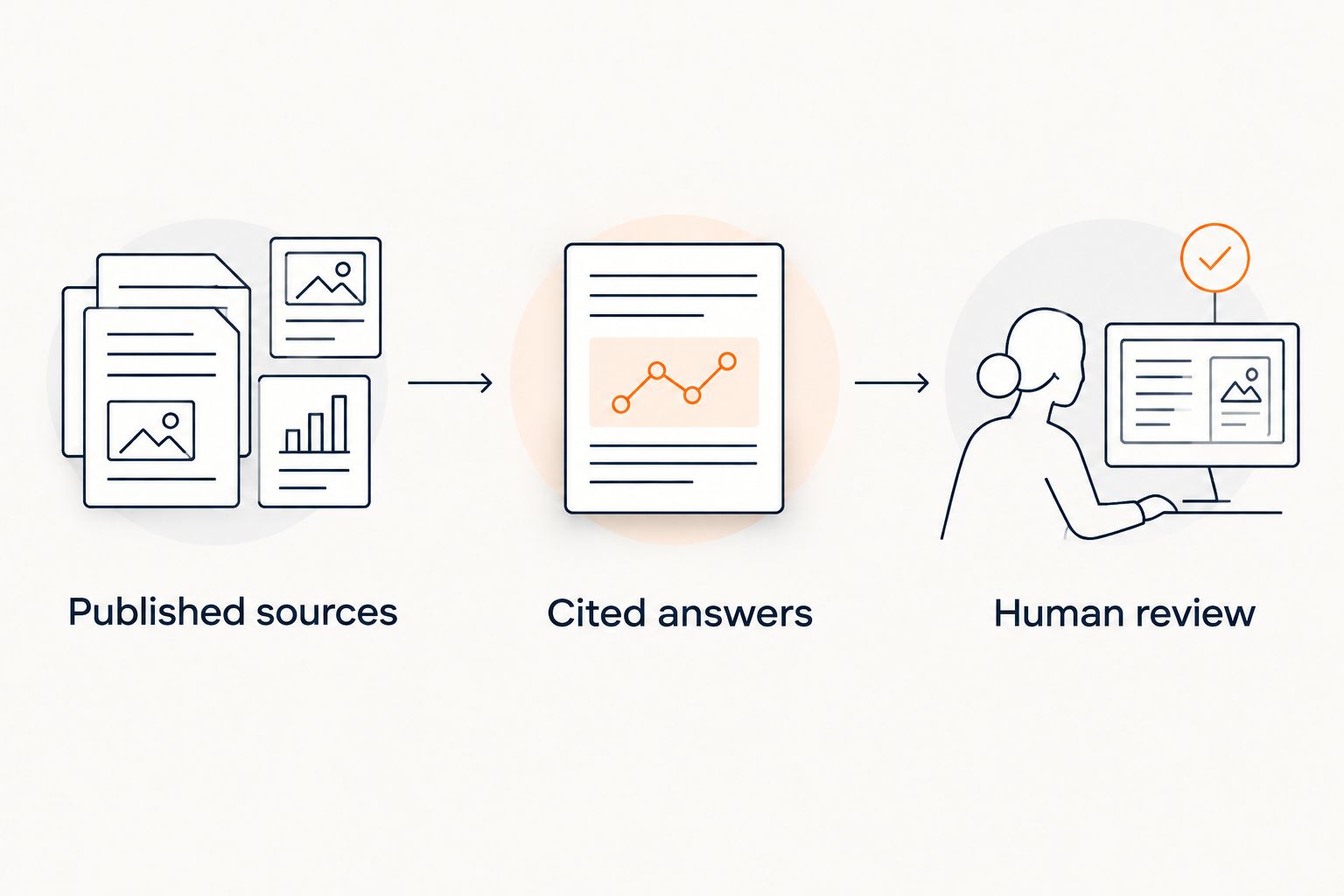
Build the workflow around three parts: Published sources, Cited answers, and Human review. Published sources define what the assistant can say. Cited answers let attendees check it. Human review handles requests that your documents cannot resolve.
1. Collect the questions attendees actually ask
Start manually. Review your registration inbox, speaker messages, and attendee questions, then group repeated requests in a spreadsheet. Separate someone deciding whether to attend from someone who has registered but cannot enter a session.
Use three event stages: before registration, during the live event, and after the event. The same question changes meaning across those stages. Asking where to watch before registering is not the same as reporting a broken session link during a presentation.
Write each question in the attendee’s words. A request about watching later needs an answer about replay access, not a general paragraph describing your event format. Keep the original wording beside the approved response so your tests reflect real conversations.
- Group questions under registration, schedule, access, replays, and policies.
- Mark questions that require an account lookup rather than a published answer.
- Record who owns each answer: the host, speaker coordinator, or support contact.
- Separate public questions from requests involving private attendee information.
2. Publish one authoritative answer for each event rule
A shared document and a public FAQ are enough to begin. Make the schedule, access conditions, replay policy, and support instructions consistent before adding conversational support.
Assign one authoritative source to each rule. If a landing page and a welcome email disagree, resolve the disagreement rather than asking a chatbot to choose. For a 2026 summit, distinguish current event documents from archived material so last event’s instructions do not become this event’s answer.
Source-grounded tools such as HelpShelf answer from a creator’s own content and provide citations. That approach helps visitors inspect the basis of an answer, but it does not make contradictory source material correct. The host still owns the published facts.
- State the timezone alongside the published schedule.
- Define replay access separately from live attendance.
- Publish only confirmed speaker and session details.
- Remove superseded instructions from the material used for answers.
3. Test source-grounded replies before adding sales prompts
First, answer a sample of questions yourself using only the approved documents. If you cannot find support for a reply, mark it for human review. This creates a reference set without buying anything.
Next, test the same questions in your chosen assistant. HelpShelf’s AI chatbot uses creator content for cited answers and captures leads. Check how that approach works with your summit material rather than assuming that a course-support workflow automatically covers every event task.
Build a 12-question test set: four registration questions, four live-access questions, and four replay questions. Include an answerable question and an unsupported request in each group. Treat these as a launch checklist, not an accuracy benchmark.
- Open every citation and check that it supports the actual reply.
- Test differently worded versions of the same attendee question.
- Include a request for an unpublished discount or policy exception.
- Reject answers that turn a session description into an outcome promise.
4. Define refusals and a human follow-up route
Write your boundaries in plain language before configuring a tool. Your assistant should explain published terms, not create new ones. No invented discounts, no refund exceptions, no income promises.
Use this suggested refusal pattern when the source does not answer a request: I can only quote what’s published. Your request needs the host’s review. This is proposed wording for your workflow, not a promise about any product’s default behavior.
Give the attendee a real next step that you can support. A contact form or support inbox can work; use your existing process and test it yourself. Do not claim that a chat message reached a person unless the workflow actually confirms delivery.
- Route account-specific access problems to your support process.
- Refer speaker substitutions and unpublished changes to the event team.
- Ask for follow-up permission before collecting contact details.
- Avoid requesting passwords, payment-card details, or unnecessary personal information.
5. Separate event answers from lead capture
Start with a direct answer and an optional follow-up form. A visitor asking which session covers a topic should not have to submit an email address before seeing information you already publish.
HelpShelf combines cited pre-sale and support answers with lead capture. For a summit, assess those functions separately: does the answer resolve the question, and does the follow-up request explain its purpose? Neither function proves that a visitor has registered or purchased access.
For your 2026 event, write a clear distinction between an inquiry, a registration, and a support request. Keep that distinction in your records. A conversation about a replay is not evidence of a completed registration.
- Answer public event questions before asking for follow-up details.
- Explain whether follow-up concerns attendance, a course, or another offer.
- Keep support requests separate from promotional follow-up.
- Check that submitted details reach the intended destination.
6. Review conversations at each event transition
Use a manual review sheet before looking for automated reporting. Record the question, the answer, its source, and whether a person needed to intervene. This makes errors visible without assuming any particular analytics feature.
Review before registration opens, before the live sessions begin, and before replay access changes. Those are operational checkpoints, not a substitute for reviewing an urgent schedule correction when it happens.
Your 2026 review should distinguish source failures from answer failures. If the policy itself is missing, publish it. If the policy exists but the reply misstates it, investigate the assistant’s source selection and configuration before expanding its use.
- Log unsupported claims separately from unanswered questions.
- Check citations again after schedule or policy edits.
- Record lead submissions separately from confirmed registrations.
- Keep a named person responsible for unresolved attendee requests.
Compare support options for a virtual summit
Choose the simplest option that can answer your published questions correctly. A chatbot adds a conversational route to information; it does not replace event documentation or the person responsible for exceptions.
The comparison below describes operating approaches rather than promising a feature set. For any software option, check source handling, placement, data collection, and follow-up behavior in your intended environment.
| Option | Best for | Main advantage | Key limitation |
|---|---|---|---|
| Public event FAQ | Hosts establishing a single source of truth | Gives attendees a stable reference for published rules | Requires attendees to locate the relevant answer |
| Staffed inbox or live chat | Account problems and judgment calls | Lets a person investigate context and approve exceptions | Requires someone to read and respond |
| HelpShelf AI chat widget | Course creators using their own content for support and lead capture | Answers pre-sale and support questions with cited sources | Summit placement and workflow need verification; unpublished facts still need a person |
| FAQ plus conversational support and human review | Hosts separating routine questions from exceptions | Gives each question an appropriate route | Requires clear ownership and consistent source updates |
An FAQ is a sensible starting point when your event information is still changing. Staffed support fits requests that depend on attendee records. Source-grounded chat fits repeat questions with published answers. A combined workflow adds coordination work, so document where each type of request belongs.
Common mistakes virtual summit hosts make
Mixing speaker content with event policy
A presentation about building a business is educational material, not permission to promise an attendee a financial result. Keep speaker transcripts separate from the sources that define registration, access, and refund terms. An answer should cite the document authorized to establish that fact.
Leaving old event instructions in the answer sources
An archived welcome sequence can contain valid instructions for a different event. Label archives and exclude superseded material from current answers. Your 2026 support setup should not depend on a visitor spotting the wrong event date in a citation.
Treating lead capture as registration confirmation
An email address submitted during chat establishes a follow-up request, not event entitlement. Do not tell a visitor they have access unless the relevant registration process confirms it. Keep confirmation messages tied to the process that actually handles registration.
Expecting published answers to fix private access problems
A chatbot can explain your documented login process without knowing why a particular attendee cannot sign in. Keep that boundary explicit. A person needs to investigate cases that require account records or a decision outside the published rules.
FAQ
What should an AI chatbot for virtual summit hosts do?
An AI chatbot for virtual summit hosts should answer published questions about registration, schedules, session access, and replays with supporting sources. It should send account-specific problems and unpublished exceptions to a person rather than inventing an answer.
Is a chatbot better than an event FAQ?
A chatbot and an event FAQ serve different purposes: the FAQ establishes published answers, while the chatbot helps visitors find relevant information conversationally. Keep the FAQ accurate before adding another way to retrieve its content.
Can HelpShelf answer questions about my summit content?
HelpShelf answers pre-sale and support questions using a creator’s own content and includes cited sources. Verify how your event material and intended widget placement fit the product before committing to a summit workflow.
Can a summit chatbot approve refunds or offer discounts?
Your summit chatbot should explain published terms, not approve exceptions or invent discounts. Send requests outside those terms to the person authorized to decide them.
How do I test a summit chatbot before launch?
Use a reference set of attendee questions and compare every answer with your approved event sources. Include unsupported requests, conflicting documents, and account-specific problems so the test checks boundaries as well as routine answers.
Should attendees give an email address before getting an answer?
Attendees should be able to receive answers to public event questions without first submitting contact details. Ask separately for permission to follow up, and explain what that follow-up concerns.
Can an AI chatbot replace my summit support team?
A source-grounded chatbot does not replace the people responsible for account investigation, policy decisions, and unpublished event changes. Use it for documented questions and maintain a clear route to human support.
One last thing
Test the question your documents cannot answer. Ask whether an unannounced speaker will attend, whether someone can receive a policy exception, or whether a session guarantees a particular result.
The useful response is a boundary and a next step. A fluent answer without evidence is a reason to stop and correct the setup—not a successful demonstration.


