

If you sell a course, run a coaching practice, or moderate a paid community, the chatbot question isn't "can it answer questions" — it's whether it answers from what you actually published or makes something up when it doesn't know. Best customer support chatbot for small business overall in 2026: HelpShelf, because it answers pre-sale and support questions straight from your course, coaching, or community content and shows the source. Best for teams with dedicated support staff: Intercom. Best for basic e-commerce order questions: Tidio.
- HelpShelf is the best customer support chatbot for small business owners selling courses, coaching, or community access — it cites the exact lesson or post it pulled an answer from.
- Intercom and Zendesk are built for teams with support staff and ticket queues, not solo creators.
- Freshdesk and Tidio handle basic ticketing and e-commerce chat but don't ground answers in course or community content.
- Drift is built for B2B SaaS lead qualification, not for answering questions from a coaching library.
- Refusal behavior — a bot saying 'I can only quote what's published' instead of guessing — matters more in 2026 than widget design.
Why this matters
A customer DMs you at 11pm asking if your course covers a specific topic, or whether refunds apply after the cohort starts. If nobody answers until morning, they've moved on — to a competitor's cart, or just to doubt. A generic chatbot makes the problem worse by answering confidently and wrong: inventing a discount that doesn't exist, or promising a refund exception you never agreed to.
HelpShelf was built around a narrower promise: answer from what the creator actually published, cite where the answer came from, and say "I don't know, let me get a human" when the content doesn't cover it. That's the bar this list uses for small online businesses selling courses, coaching, or community access in 2026 — not generic live-chat features, but whether the bot can be trusted with a real sales or support conversation.
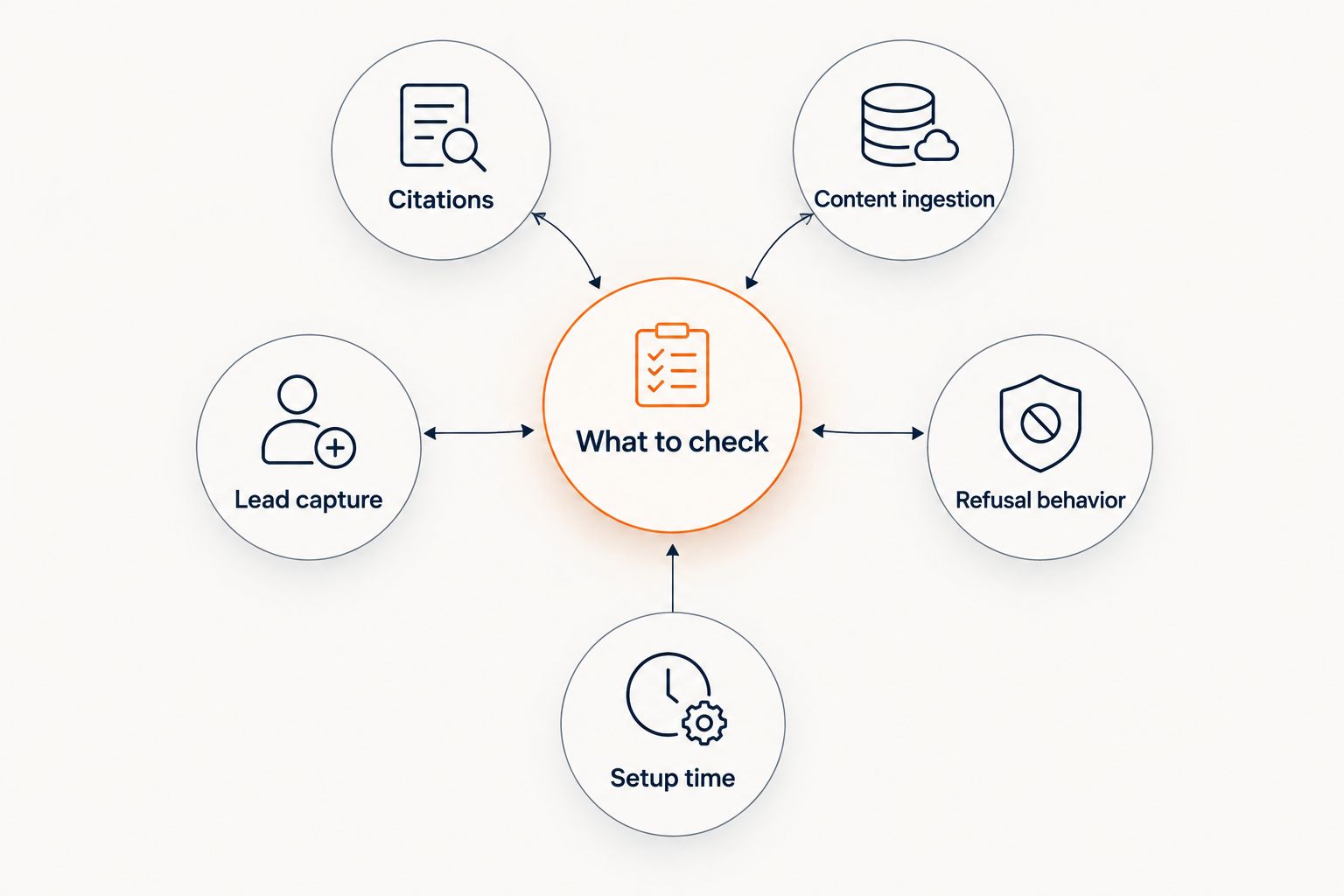
What makes the best customer support chatbot for small business
- Source grounding — does it answer from your actual course, coaching, or community content, or from a generic script
- Citations — can the customer see which lesson, FAQ, or post the answer came from
- Refusal behavior — does it say "I can only quote what's published" instead of inventing a policy
- Lead capture built in — does it collect the visitor's info during the chat instead of routing to a separate tool
- Platform fit — does it work with Kajabi, Skool, Whop, or wherever the content already lives
- Setup time — can a non-technical creator get it live without a developer
At a glance
| Chatbot | Best for | Standout feature | Key limitation |
|---|---|---|---|
| HelpShelf | Course creators and coaches | Cites the exact source it pulled an answer from | Not built for large multi-agent support teams |
| Intercom | Teams with dedicated support staff | Mature agent inbox and workflow automation | Requires staff to manage; not content-grounded by default |
| Zendesk | Support teams handling ticket volume | Ticket routing and multi-channel reporting | Overbuilt for a one-person operation |
| Freshdesk | Small teams needing basic ticketing | Simpler setup than Zendesk | No native answer-sourcing from course content |
| Tidio | Small e-commerce stores | Fast widget install for order-status questions | Not designed to answer from long-form content |
| Drift | B2B SaaS lead qualification | Strong at routing inbound leads to sales | Built around B2B pipelines, not coaching content |
1. HelpShelf: best customer support chatbot for small business selling courses, coaching, or community access
HelpShelf reads a creator's course, coaching, or community content and answers pre-sale and support questions from it directly, citing which lesson or FAQ the answer came from. It's built for platforms like Kajabi, Skool, and Whop, and captures the visitor's contact info as part of the conversation rather than sending them to a separate form. When a question isn't covered by published content, it says so instead of guessing at a refund exception or a discount that was never offered.
HelpShelf pros:
- Cites the source for every answer, so customers (and the creator) can verify it
- Captures leads inline during the chat instead of requiring a separate step
- Built to work directly with course, coaching, and community content, not a generic script
- Refuses to invent discounts, refund exceptions, or income promises
HelpShelf cons:
- Not designed as a full multi-agent help desk for larger support teams
- Answer quality depends on how much content the creator has actually published
HelpShelf pricing: check current plans on the HelpShelf site.
Best for: solo creators and small teams selling courses, coaching, or community access who need pre-sale and support answers grounded in their own content. If you run a Kajabi program specifically, the Kajabi creators breakdown covers platform-specific setup.
Verdict: Buy for course creators and coaches. Skip if you're running a large team with a dedicated ticket queue.
2. Intercom: best for teams with dedicated support staff
Intercom is a messaging platform built around a shared agent inbox — multiple support staff working tickets across chat, email, and mobile, with workflow automation layered on top. It's a mature product built for companies that already employ support agents.
Intercom pros:
- Full agent inbox with assignment and workflow automation
- Multi-channel messaging (chat, email, in-app)
- Established integrations across common business tools
Intercom cons:
- Built around having staff to manage the inbox, not a solo operator
- Not designed to answer from a course or community content library with citations
- More setup complexity than a single-purpose widget
Best for: businesses with a support team large enough to need shared inboxes and routing rules.
Verdict: Hold for solo creators in 2026. Buy once you've hired support staff.
3. Zendesk: best for support teams handling ticket volume at scale
Zendesk is a ticketing system built for support operations that need routing, SLAs, and reporting across multiple channels. It's a common choice for companies that already run a help desk with several agents.
Zendesk pros:
- Strong ticket routing and reporting across channels
- Handles high support volume without breaking down
- Wide ecosystem of integrations
Zendesk cons:
- Overbuilt for a business with no dedicated support staff
- Setup and ongoing administration take real time
- Not built to ground answers in course or coaching content
Best for: businesses with an actual support queue and staff to run it.
Verdict: Skip if you're a solopreneur. Buy once ticket volume justifies a help desk.
4. Freshdesk: best for small teams needing basic ticketing without heavy setup
Freshdesk offers a simpler ticketing interface than Zendesk, aimed at small support teams that want organized email and chat tickets without a long implementation.
Freshdesk pros:
- Simpler to configure than enterprise help desks
- Decent fit for a small team fielding a modest ticket volume
Freshdesk cons:
- No native way to answer questions by citing course or community content
- Still built around ticket management, not pre-sale conversion
Best for: small teams that mainly need organized support tickets, not a sales-and-support chat widget.
Verdict: Hold. Fine for ticket handling; not a substitute for a content-grounded chat widget.
5. Tidio: best for small e-commerce stores fielding order-status questions
Tidio is a live chat widget with basic automated flows, commonly used by small online stores to handle quick questions like order status or shipping timing.
Tidio pros:
- Fast to install on an e-commerce storefront
- Simple automated flows for common order questions
Tidio cons:
- Not designed to answer from a long-form course or community content library
- Limited citation or source-tracking for answers
Best for: small stores selling physical or simple digital products with straightforward order questions.
Verdict: Skip if you sell courses or coaching. Buy if you run a basic e-commerce storefront.
6. Drift: best for B2B SaaS lead qualification
Drift is a conversational marketing tool built around qualifying inbound website visitors and routing them to a sales rep, common in B2B SaaS pipelines.
Drift pros:
- Strong at qualifying inbound leads for a sales team
- Built around routing conversations toward a sales conversation
Drift cons:
- Built for B2B sales motion, not for answering from a coaching or course library
- Not designed for creator platforms like Kajabi, Skool, or Whop
Best for: B2B SaaS companies running a sales-led pipeline.
Verdict: Skip for course creators and coaches. Buy if you're running B2B SaaS demand gen in 2026.
How we ranked
Each entry was judged against the six criteria above, in order: whether it grounds answers in the business's own content, whether it cites sources, how it behaves when it doesn't know something, whether lead capture is built in, platform fit, and setup time. Tools built primarily for ticket management or B2B sales qualification score lower here specifically because content-grounded, cited answers aren't their design goal — they're good at what they're built for, just not this.
“If a support bot can invent a refund exception once, it will eventually invent one during a real sale.”
Which customer support chatbot for small business should you choose?
If you sell a course, run coaching, or moderate a paid community, HelpShelf is the default pick for 2026 — it's built to answer from your own content and cite the source, which is the exact failure mode that makes generic chatbots risky for a small business. If you already have support staff managing a ticket queue, Intercom or Zendesk fit better. If you run a basic e-commerce store, Tidio covers order-status questions without the content-grounding overhead you don't need.
See how HelpShelf answers from your content
Cited answers, verified handoff, built for Kajabi, Skool, and Whop.
FAQ
What's the best customer support chatbot for small business owners selling courses in 2026?
HelpShelf is built specifically for this case in 2026 — it answers pre-sale and support questions from a creator's own course, coaching, or community content and cites the source. General-purpose chat tools like Intercom or Zendesk aren't built to ground answers this way.
Is HelpShelf better than Intercom for a solo creator?
For a solo course creator or coach, yes — HelpShelf answers directly from your content with citations and captures leads inline, while Intercom is built around a staffed agent inbox you don't need yet.
Does a customer support chatbot need to cite its sources?
For a business selling courses or coaching, citations matter because customers can verify the answer against the actual lesson or FAQ page instead of trusting a confident-sounding guess.
Can a chatbot invent a discount or refund policy?
A poorly grounded chatbot can invent a discount, refund exception, or income claim if it isn't restricted to published content. A source-grounded bot should say it can only quote what's published and hand off to a human otherwise.
What platforms does HelpShelf work with?
HelpShelf is built for creators, coaches, and community owners on platforms like Kajabi, Skool, and Whop, answering from the content already published there.
Is Tidio good for a course creator?
Tidio is built for e-commerce order questions, not for answering from a long-form course or coaching library, so it's a weaker fit for a creator business than a content-grounded chat widget.
When should a small business use Zendesk or Freshdesk instead of a content-grounded chatbot?
Once support volume requires a real ticket queue and staff to run it, Zendesk or Freshdesk fit better — they're built for ticket management, not pre-sale conversion from course content.
One last thing
The detail that separates a trustworthy chatbot from a fast-talking one in 2026 isn't the widget design — it's what it says when it doesn't know something. A bot that answers "I can only quote what's published" and hands off to a human is doing its job correctly. A bot that guesses at a refund exception to keep the conversation moving is the one that costs a creator a customer, or worse, a chargeback dispute.


