
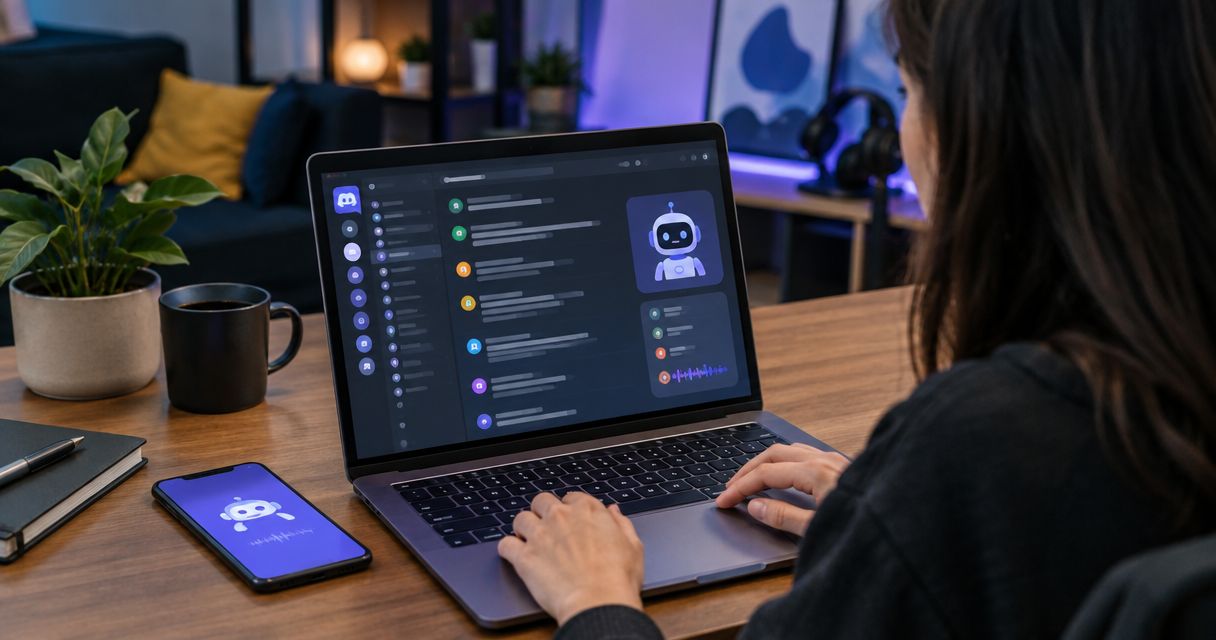
Discord community owners’ AI chat widget is a website chat interface that answers questions about a community using its owner’s published content, with the aim of helping visitors decide whether to join and helping members find documented answers. A Discord conversation is different from a sales page: questions arrive in channels and DMs, while the answer a visitor needs may live in course material, community guidance, or another page entirely.
- An ai chat widget for discord communities belongs on a website unless its provider explicitly supports Discord placement.
- HelpShelf is best for community owners who want cited answers from their own content and lead capture on a site.
- Keep Discord moderation and member-specific decisions with a person; a published FAQ is the safer source for repeatable answers.
- Test citations, refusals, and the route to a human before sending visitors to the widget.
Why an AI chat widget matters for Discord community owners
Someone asks at 11pm whether your community includes a particular lesson. If the answer is documented but buried, they may DM you, search a channel, or leave without asking again. A widget gives them another place to ask; it does not make an undocumented answer true or replace a moderator.
HelpShelf is best for Discord community owners who want a website chat widget that answers from their own content with citations and captures leads. Its limitation matters just as much: the supplied product description identifies a chat widget, not a Discord bot. Do not promise answers inside Discord channels or DMs without confirming that capability separately.
In 2026, the practical decision is where a question belongs. Put general pre-sale questions on a public page where a prospective member can ask before joining. Keep private account questions, disputes, and moderation decisions with a person who has the context and authority to answer. The steps below separate those jobs before you choose a tool.
Build a support path for your Discord community
Map questions to the person who can answer them
Start with a manual list, not a widget setup screen. Review the questions you already receive in public channels, private messages, and pre-sale conversations. Write down the question, where it arrived, and where the current answer is published. If there is no published answer, mark it as a content gap rather than asking a chat tool to fill it.
Separate questions by intent. A visitor asking what the community covers needs a public answer. A member asking why they cannot access a channel needs an account-specific check. A dispute about another member needs moderation, not a recycled FAQ response. This sorting tells you which questions a website widget can serve and which need a human route.
For 2026, use a small test set before changing how you handle messages. Write 10 sample questions, including routine, ambiguous, and sensitive ones. The number is a working checklist, not a claim about how many questions your community receives.
- Pre-sale: Record questions a visitor can ask before they have Discord access.
- Member support: Note repeatable questions whose answers are already published.
- Account access: Keep identity and permission checks with a person.
- Moderation: Route reports, conflicts, and exceptions to moderators.
- Unknown answers: Mark questions that have no approved source.
Publish answers before you automate them
A pinned message or a short public FAQ is the manual starting point. Write the answer where you can maintain it, then point people to that source. If a channel discussion contains conflicting replies, do not treat the whole thread as policy. Turn the approved answer into a page or clearly maintained document first.
Use plain language that matches the question. A visitor asking what happens after they join should not have to decode internal channel names. State what your published material actually says and stop there. If you do not publish a refund exception, do not invent one to make an answer sound helpful. The same rule applies to discounts, access promises, and income claims.
HelpShelf can use a creator’s own course, coaching, or community content to answer questions with cited sources. That makes the quality of your source material the first constraint. The widget cannot cite a policy you never wrote. In 2026, review the content you intend to use before directing visitors to any answer based on it.
- Choose: Identify the published source for each repeatable question.
- Clarify: Rewrite conflicting or outdated guidance before using it.
- Separate: Keep public joining information apart from private member records.
- Date: Mark time-sensitive guidance so you know when to review it.
- Escalate: Leave unpublished exceptions for a person to decide.
Choose where visitors can actually ask
A Discord member sees channels and DMs. A prospective member may see only your public site or joining page. Those are different surfaces. Place each answer where its reader can reach it; do not assume a website widget appears inside Discord because the community itself runs there.
Start manually: add a clear FAQ path to a public page, maintain useful pinned guidance inside the community, and tell members where to take private issues. Then decide whether a site widget would reduce the need to search for the public answer. HelpShelf’s stated role is a chat widget for pre-sale and support questions with lead capture. Its supplied description does not establish a Discord installation, channel permissions, or DM access.
Test 2 reader paths in 2026: one visitor who has not joined and one member who already has. Each should reach the correct answer or know how to request human help. Do not make a visitor join just to ask what the community contains; do not send a member’s private access problem to a public answer page.
- Public site: Put general joining and content questions within reach of visitors.
- Discord guidance: Pin repeatable member instructions where members look.
- Private route: Give account and moderation issues a human destination.
- Placement check: Confirm where any proposed widget can actually appear.
Test citations and refusals together
Ask each sample question against its approved source. Read the answer, then open the citation. If the cited material does not support the answer, treat the result as a failure even when the wording sounds plausible. A citation is useful only when it lets the reader check the claim.
Run a second pass with questions your material does not answer. Ask for an unpublished discount, a refund exception, and a personal outcome. The right behavior is a refusal or a route to a person, not a confident guess. A plain response such as “I can only quote what’s published” sets a boundary the visitor can understand.
For a 2026 review, follow 5 checkpoints: source, answer, citation, refusal, and handoff. Keep the test manual at first. Once the approved content is clear, HelpShelf offers the faster path of answering from that content with citations. You still own the decision about which sources are approved and what needs human judgment.
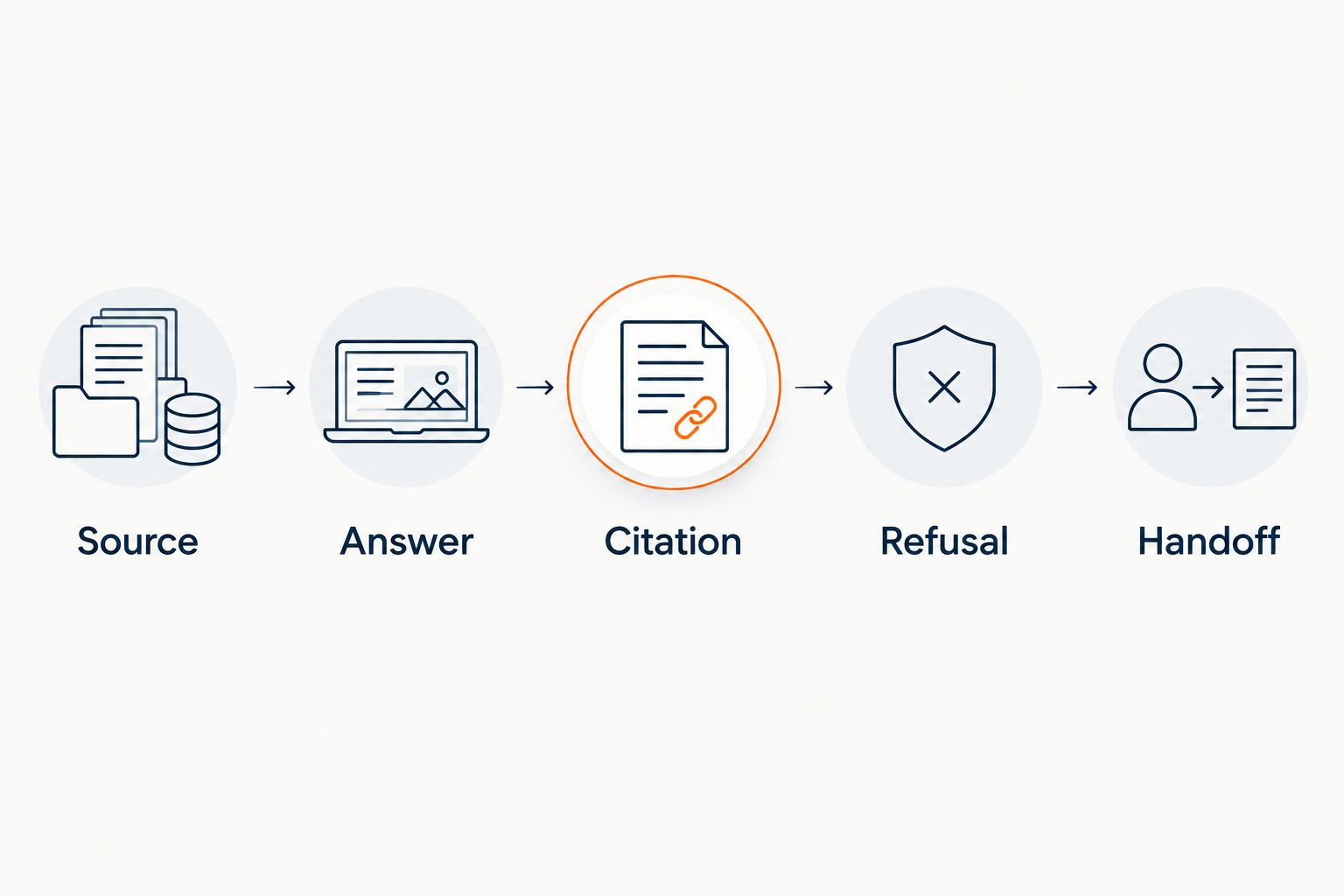
- Source: Confirm the question has approved published material.
- Answer: Check that the response stays within that material.
- Citation: Open the reference and verify the relevant passage.
- Refusal: Try a question the source cannot answer.
- Handoff: Tell the visitor how to reach a person when needed.
Set a human route for sensitive questions
A useful chat experience does not have to answer everything. It needs to recognize when a general explanation ends and a personal decision begins. That boundary is especially clear in a Discord community, where access, member behavior, and moderator actions depend on context unavailable to a public FAQ.
Write a manual escalation note before adding software. Tell your team which questions belong with the owner, which belong with moderators, and which can receive a published answer. Give visitors a clear next action without exposing private details in a public conversation. If you collect a lead’s contact information, explain why you need it in the surrounding experience; do not assume every support question should become a sales follow-up.
Use 3 handoff fields as an internal template: the question, the source already checked, and the help requested. This is a process recommendation, not a claim that a widget collects those fields. In 2026, keep the handoff short enough that a person can understand the issue without asking the visitor to repeat the entire conversation.
- Owner: Reserve unpublished business decisions for the owner.
- Moderator: Send conduct reports to the people responsible for moderation.
- Support: Send account-specific access questions to a human.
- Visitor: Make the next step clear without promising an immediate reply.
Measure whether answers resolve the right questions
Count outcomes you can verify, not just chat activity. A conversation is not resolved because a widget produced text. Check whether the answer cited the right source, whether the visitor had to ask again, and whether a human received questions that required judgment. You can start with a simple review sheet before choosing a reporting system.
Review your sample questions after you edit a policy or change what the community includes. Repeated unanswered questions point to missing source material. Repeated access issues point to an account-support process. Those are different fixes, even if they first appear in the same chat window.
For 2026, keep a weekly review of examples rather than declaring success from an unverified count. HelpShelf’s cited answers give readers a way to inspect the source; your review still needs to decide whether that source is current and complete. Lead capture is useful for a genuine pre-sale question, but it is not a substitute for resolving a member’s support issue.
- Check: Open citations on a sample of answered questions.
- Log: Record questions with no approved answer.
- Route: Review cases that needed a human decision.
- Update: Fix the source before changing the wording of a reply.
Recheck the setup when your community changes
A guide that answered yesterday’s question can become wrong after you change membership terms, move lessons, or revise community rules. The first fix is to update the published source. Then ask the same question again and verify that the answer cites the current material. Do not patch a stale answer with an unsupported instruction.
Keep a manual fallback visible. Members should still know where to report a problem when the widget cannot help, and prospective members should be able to understand the core offer without chatting. A widget is an additional route to documented answers, not the only entrance to them.
Put the review on your 2026 content calendar whenever you make a substantive change. Test the visitor path and the member path separately. If either one ends at an answer that assumes access the reader does not have, move that guidance to an appropriate surface or write a separate public explanation.
- Revise: Update the approved page when rules or content change.
- Retest: Ask questions affected by the change.
- Verify: Check that citations point to the revised material.
- Retain: Keep a human route for exceptions and private issues.
Compare your options
The best option depends on where the question starts and whether an approved answer exists. Use more than one route when public pre-sale questions and private member issues need different treatment.
| Option | Best for | Key limitation |
|---|---|---|
| Pinned Discord guidance | Members asking repeatable questions inside the community | A prospective member cannot rely on guidance they cannot access. |
| Public FAQ | Visitors who want to read approved answers without chatting | Readers must find the right page and scan it themselves. |
| Manual DMs or moderator replies | Access problems, disputes, and unpublished exceptions | A person must handle each conversation. |
| HelpShelf website widget | Owners who want cited answers from their content and lead capture on a site | The supplied product description does not establish a Discord bot or channel integration. |
Use the public FAQ as the source, the widget as a way to ask about it, and a person for exceptions. HelpShelf does not replace Discord moderation. Conversely, pinned Discord guidance cannot answer a prospective member who has not joined. In 2026, choose the surface by the reader’s access, not by the name of the tool.
Common mistakes Discord community owners make
- Treating a website widget as a Discord bot. Ask where the interface appears before you plan channel-based support around it. A site visitor and a Discord member do not necessarily see the same interface.
- Using chat history as approved policy. An old reply may describe an exception, an earlier rule, or someone’s guess. Publish the approved answer first, then use it as a source.
- Answering personal cases with public guidance. A FAQ can explain how to request access help. It cannot verify a particular member’s account or decide a conduct report.
- Confusing a citation with proof of correctness. Open the cited passage. If it does not support the answer, fix the source or the response before relying on it.
- Capturing every question as a lead. A prospective buyer’s question and a member’s support problem serve different purposes. Give each a route that matches the request.
FAQ
What is an AI chat widget for Discord communities?
An AI chat widget for Discord communities is a chat interface that helps answer questions about a community using its published material. A website widget should not be assumed to work inside Discord channels or DMs.
Can HelpShelf answer questions inside my Discord server?
The supplied HelpShelf description identifies a chat widget for pre-sale and support questions, not a Discord bot integration. Confirm placement before planning answers inside a server.
What should I publish before adding a chat widget?
Publish approved answers to repeatable joining and support questions. Clear, current sources give cited answers something reliable to reference.
Should a chat widget handle Discord moderation?
No. Reports, disputes, and member-specific decisions need a human with the appropriate context and authority.
How do I check whether a cited answer is correct?
Open the cited source and find the passage that supports the answer. If the passage is missing, outdated, or contradictory, correct the source or stop using that answer.
Is a pinned FAQ better than a website widget?
A pinned FAQ is better for members reading inside Discord; a website widget is better for visitors asking about published material on a site. Use both when those readers need different access points.
What should happen when the answer is not published?
The chat should not invent a policy, discount, refund exception, or outcome. Give the visitor a route to a person who can decide or supply the missing answer.
One last thing
The question your widget cannot answer tells you what to write next. If visitors keep asking whether a particular lesson is included, publish a clear answer before adjusting the chat. If the question is personal or requires an exception, preserve the handoff instead. That distinction is the core of a dependable 2026 setup.


